How do I pair my CoDrone Pro/Lite in Python?
 Updated
by
Leila Firestone
Updated
by
Leila Firestone
First, make sure your computer is set up for pairing with CoDrone Pro/Lite. This includes installing Python, installing an IDE such as PyCharm, installing a driver, and installing the CoDrone library. If you haven't done this, check out all of the "Getting Started" lessons (in blue) here.
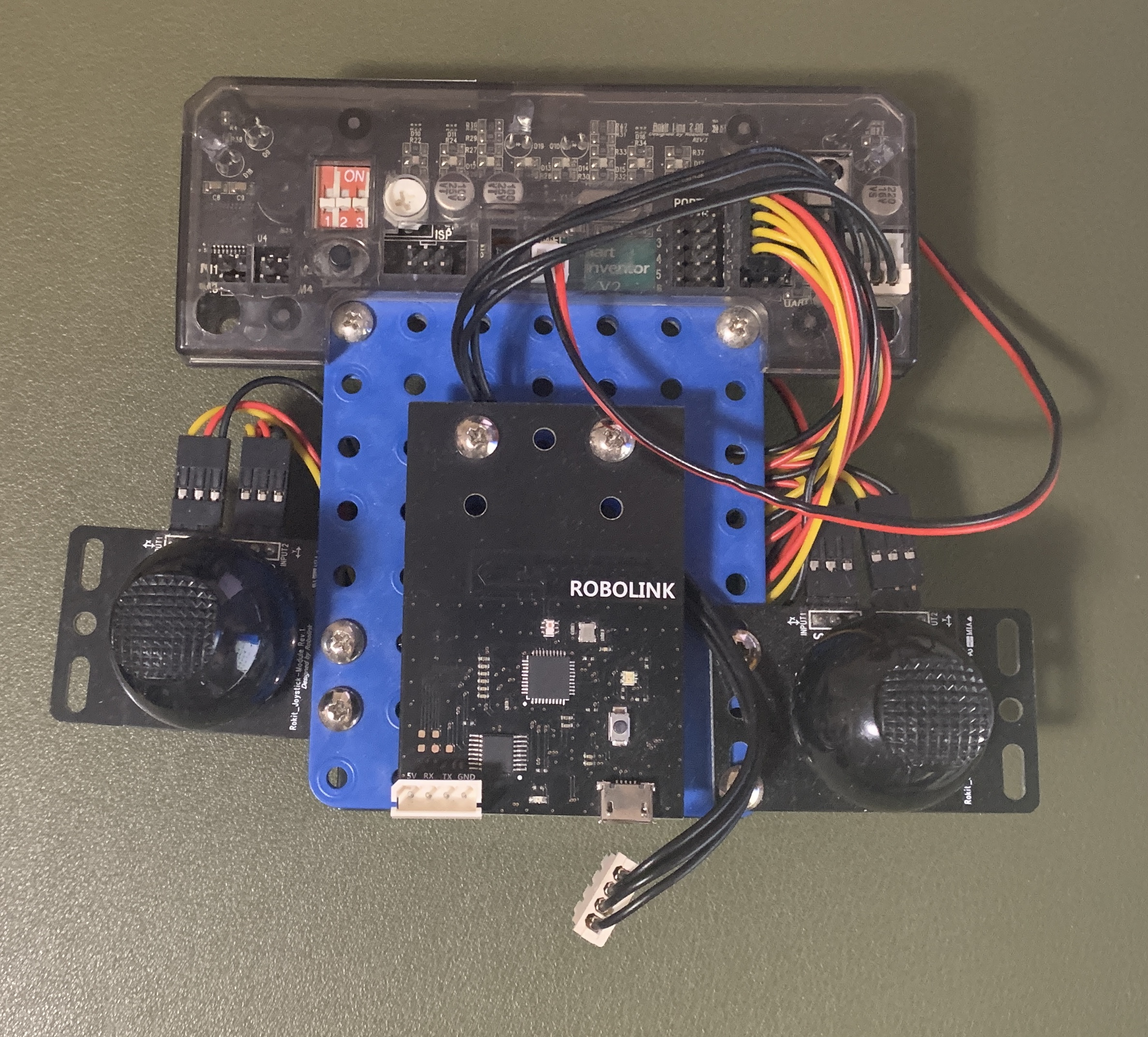
Next, make sure you are using the micro USB cable that came with your CoDrone (if you don’t have it, make sure your USB is not charge-only). Connect the BLE (Bluetooth Low Energy board) to a working port on your device. If you have a CoDrone Pro, disconnect the remote from the Bluetooth board or it will not pair. Your CoDrone remote should look similar to this once the UART cable between the remote and Bluetooth board has been disconnected:
Finally, run a test program. Try this! Only have one drone pair at a time until you confirm they can pair.
import CoDrone

drone = CoDrone.CoDrone()

drone.pair(drone.Nearest)

drone.takeoff()

drone.land()

drone.close()
Try another port if it’s not being detected or go into the device manager on your computer to find out the exact port name. For more help, see the function documentation.
If CoDrone flies, pairing was successful. From now on, now you can use drone.pair() with no parameters to make sure the drone will only pair to that BLE board. Keep the paired drone and BLE board labeled so they can pair easily next time!
Read more: What do I do if my remote paired with another CoDrone Pro/Lite?