What do I do if my remote paired with another CoDrone Pro/Lite?
 Updated
by
Robolink Support
Updated
by
Robolink Support
My remote connected with a CoDrone Pro that was nearby, but now it won't connect to the one it came with. What do I do!
If your remote has connected to another CoDrone Pro and you are unable to pair it with the original one, try the following process for either Python or Arduino.
Python:
If you've never paired before in Python, we recommend reading this article first: How do I pair my CoDrone Pro/Lite in Python?
- Make sure that only one CoDrone Pro is on. Open up your program for writing Python code and run the following code in a new Python file:
import CoDrone
drone = CoDrone.CoDrone()
drone.pair(drone.Nearest)
print("Paired!")
drone.close()
print("Disconnected.")
Once you have run the code above, you will see that a new file named PairInfo which contains the digital address of your CoDrone Pro. Your pair info will also appear in the Python console at the bottom of PyCharm.
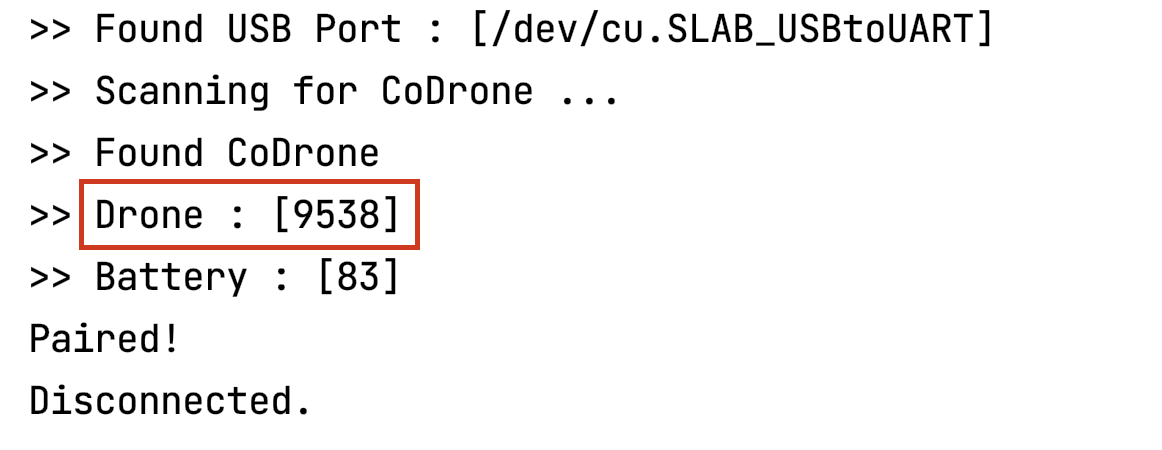
- After the program has run successfully, remove the parameter in drone.pair() function so that your CoDrone Pro will pair with the same Bluetooth board in the future. Use this opportunity to label your bluetooth board and and the drone with the same 4-digit ID.
import CoDrone
drone = CoDrone.CoDrone()
drone.pair() # Change this line
print("Paired!")
drone.close()
print("Disconnected.")
Now when you go back to piloting your drone, that particular bluetooth board should only try to pair with its designated drone every time. If the labels get mismatched or they disconnect again, repeat this process.
Arduino:
- Follow the instructions found here for pairing a CoDrone Pro to a different remote.