How do I take care of CoDrone EDU motors?
 Updated
by
Robolink Support
Updated
by
Robolink Support

CoDrone EDU motors are designed to last when maintained properly. Performing pre-flight checks and giving the drone regular care is essential. You can learn how to perform these checks by visiting our Robolink Learn Getting Started Module.
To ensure motor longevity, it’s important to understand the different ways motors can become damaged and how to prevent them.
- Severe impact or crash
Crashes can cause the motor base to crack, especially when flying in environments with hard surfaces. Here are some tips to minimize crash damage:
- Use the L1 landing command whenever possible. Reserve the emergency stop for actual emergencies.
- Avoid flying over concrete floors or hard surfaces to mitigate hard impacts/crashes. Use foam mats to cushion landings.
- Be extra cautious when flying in areas with high ceilings (above 10 feet). Read more: What is the maximum height I can safely fly at with CoDrone EDU?
- Motor overheating
After extended use, motors can become overheated, especially without cooldown periods. Prolonged heat may soften the motor base and reduce lifespan.
Recommended cooldown schedule: Allow the drone to rest for 5 minutes after every 3 consecutive full-charge flights (approximately 24 minutes of flight time).
- Motor stalling
If a propeller does not spin during takeoff, do not continue sending the takeoff command. This can overstrain the motor and potentially damage internal components like the MOSFET on the circuit board. Do the following steps:
- Check for debris in the motor or propeller.
- Ensure the propeller spins freely by rotating it with your finger or blowing air on it.
- If the motor still doesn't start, follow our guide on How do I replace the motors on my CoDrone EDU?
Similarly, if the drone crashes and gets caught on an object, shut off the motors immediately with an emergency stop command to prevent motor stalling.
- Missing silicone bumpers
The silicone bumpers under each motor absorb vibrations from impacts. If one is missing, the motor base is more likely to crack.
Click here to order silicone bumper replacements.
- Cracked frame
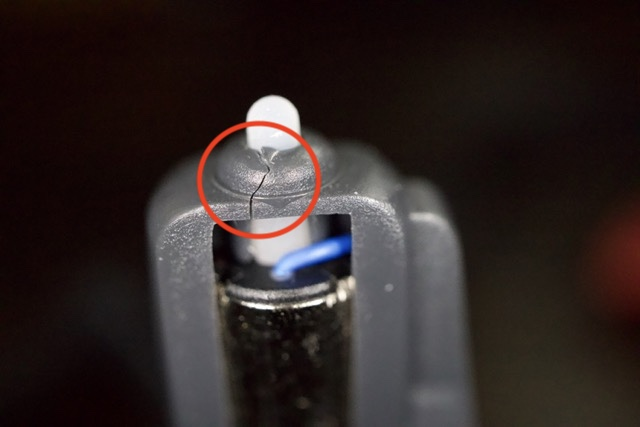
A cracked frame near the motor mount can cause the motor to take the brunt of the impact instead of the drone chassis.
To protect your motor, replace your frame by following this instructional video: Replacing the CoDrone EDU Frame
Click here to order frame replacements
- Pinched Motor Wires
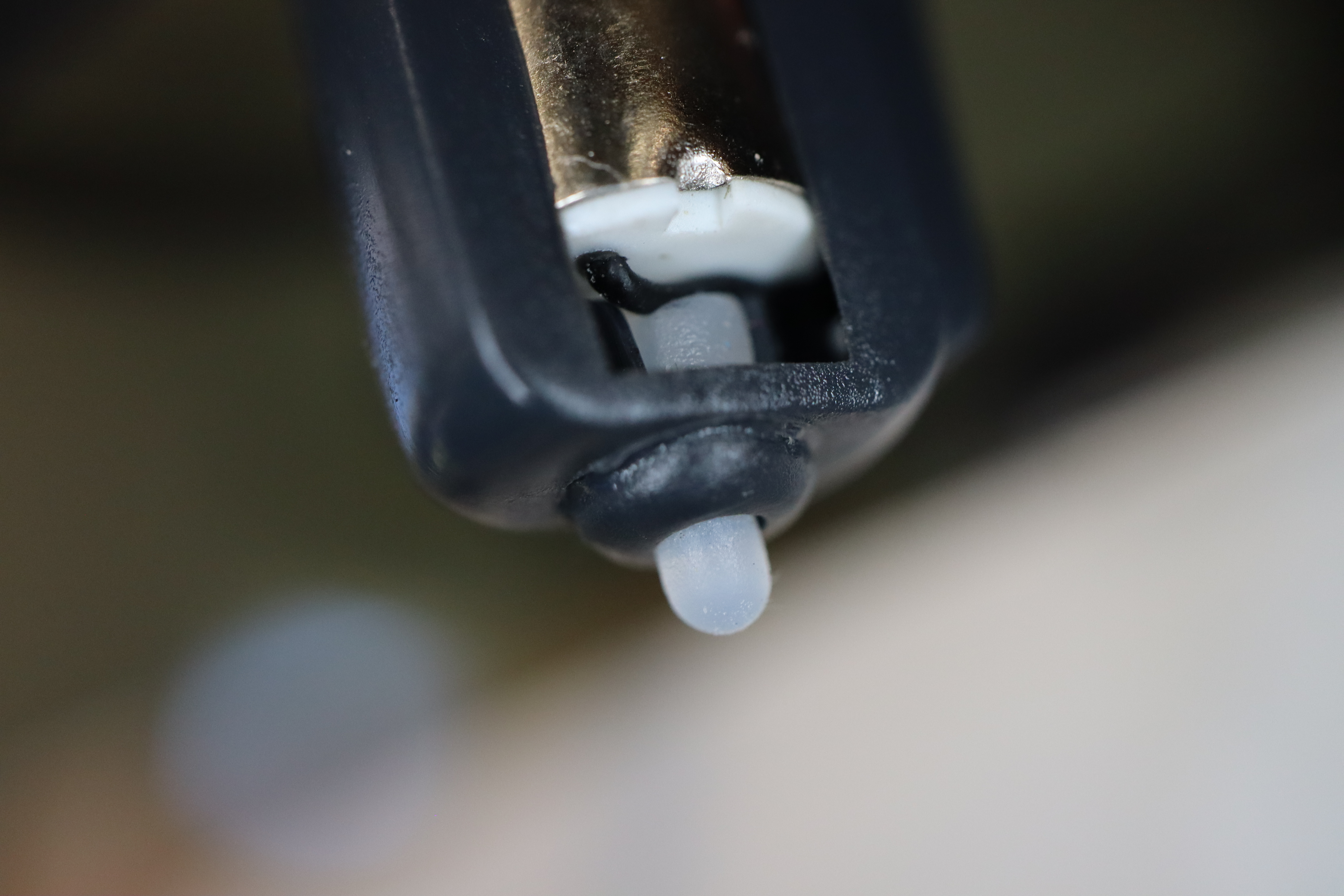
Motor wires can sometimes become pinched between the bumper and the motor base, especially after a hard landing. Use tweezers to gently reposition the wires to the outside edge of the bumper housing.
If you're experiencing frequent motor issues, please email support@robolink.com with photos of the affected motors. We're happy to assist!
