How do I replace the propellers on my CoDrone EDU?
 Updated
by
Robolink Support
Updated
by
Robolink Support

Propellers may need to be removed from your CoDrone EDU to clear out debris or replaced if they are bent, chipped, or cracked. Damaged propellers can affect flight performance and should be replaced promptly. Follow the steps below to safely remove and replace a propeller.
Removing the Propeller
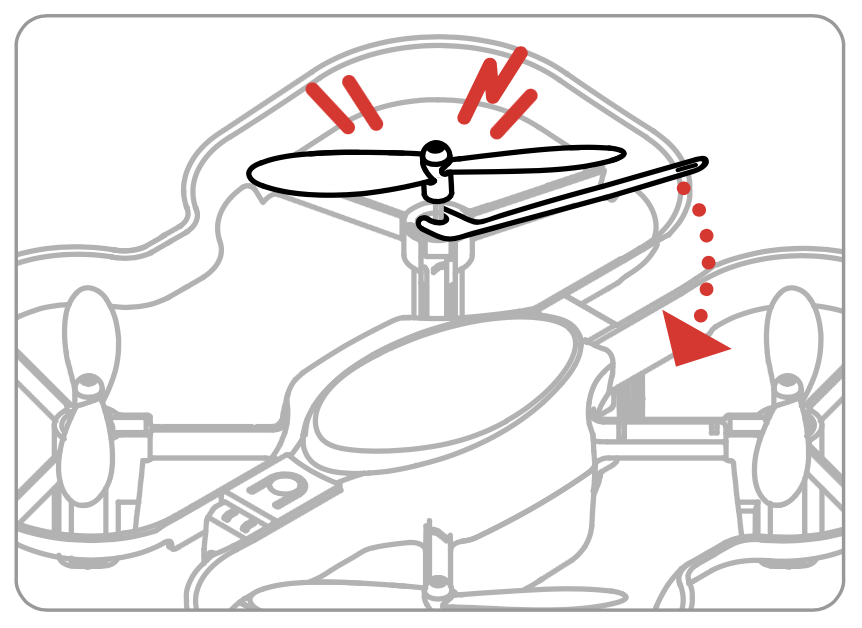
Use the propeller removal tool included in your kit. Insert the forked end of the tool under the hub of the propeller and gently press the handle downward like a lever. This will lift the propeller off the motor shaft without damaging it.
Replacing the Propeller
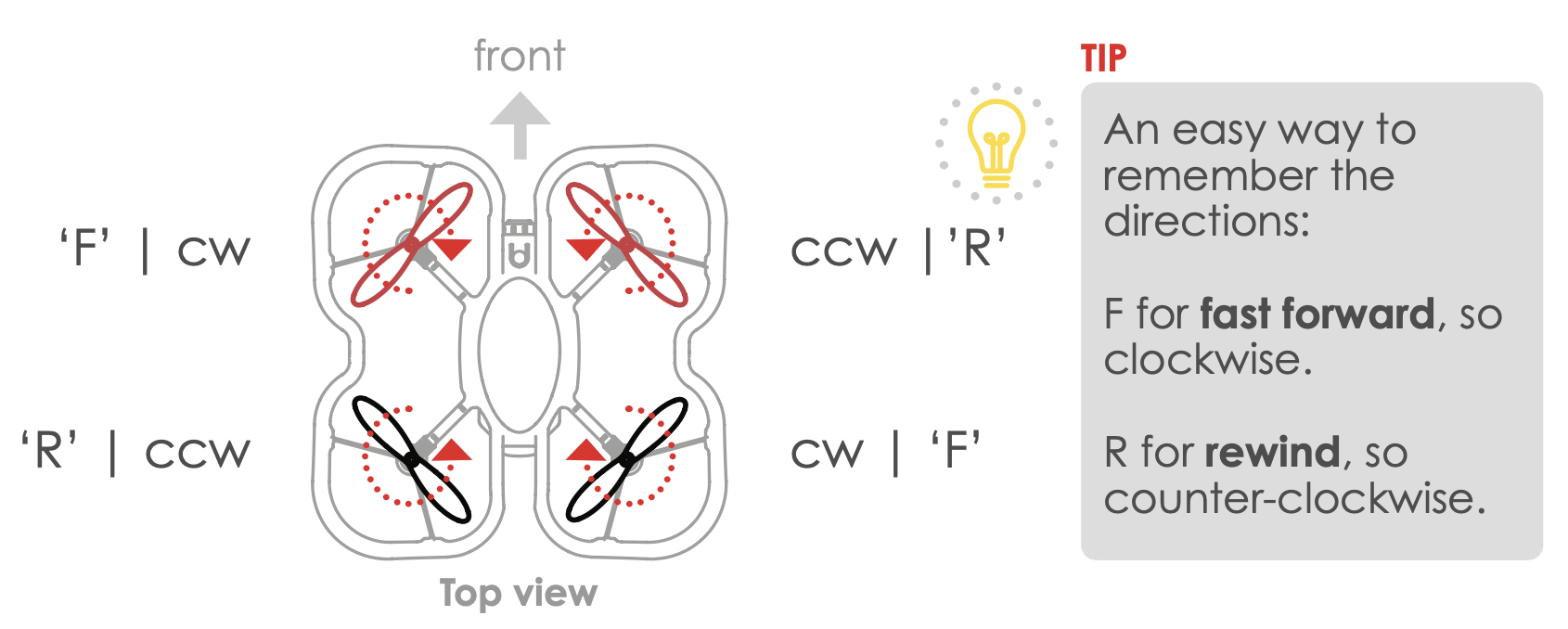
When selecting a replacement, make sure the new propeller matches the orientation of the one you removed. The color of the propeller is not an indicator of rotation. Instead, check for the letter printed on the bottom:
- 'F' for forward rotation
- 'R' for reverse rotation
Choose a replacement with the same letter and firmly press it onto the motor shaft until it is securely in place. After installation, spin the propeller by hand to ensure it moves freely. Refer to the orientation diagram below to confirm correct placement.
Follow along with our video tutorial below. If you need more replacement propellers, you can get them from our website.
