What do I do if my CoDrone EDU motor base is broken?
 Updated
by
Robolink Support
Updated
by
Robolink Support

If you’ve discovered that your CoDrone EDU motor base is cracked, shattered, or detached, please note this issue only affects the motors and does not impact other parts of your drone’s hardware.
Below, we’ll walk you through the common causes, how to inspect your motors for damage, and what to do next.
What Causes Motor Base Damage?
A damaged motor base is usually the result of one or more of the following:
- The motor was not fully inserted into the drone frame motor shaft
- The silicone bumper (used to absorb shock) is missing
- The motor wires were pinched beneath the base during installation
- The drone crashed on a hard surface (e.g., concrete or tile)
- The motor experienced overheating or stalling, which can weaken the base internally over time
To help prevent this type of damage, make sure to perform pre-flight checks, use the soft landing command to end flights whenever possible, and give your motors time to cool down after extended use.
Learn more about motor care by reading out HelpDoc Article: How do I take care of CoDrone EDU motors?
How to Inspect a Broken Motor
If you're experiencing frequent motor issues or visible damage, remove the motor from the drone for inspection. You can follow along with our step-by-step tutorial by following this HelpDoc Article: How do I replace the motors on my CoDrone EDU?
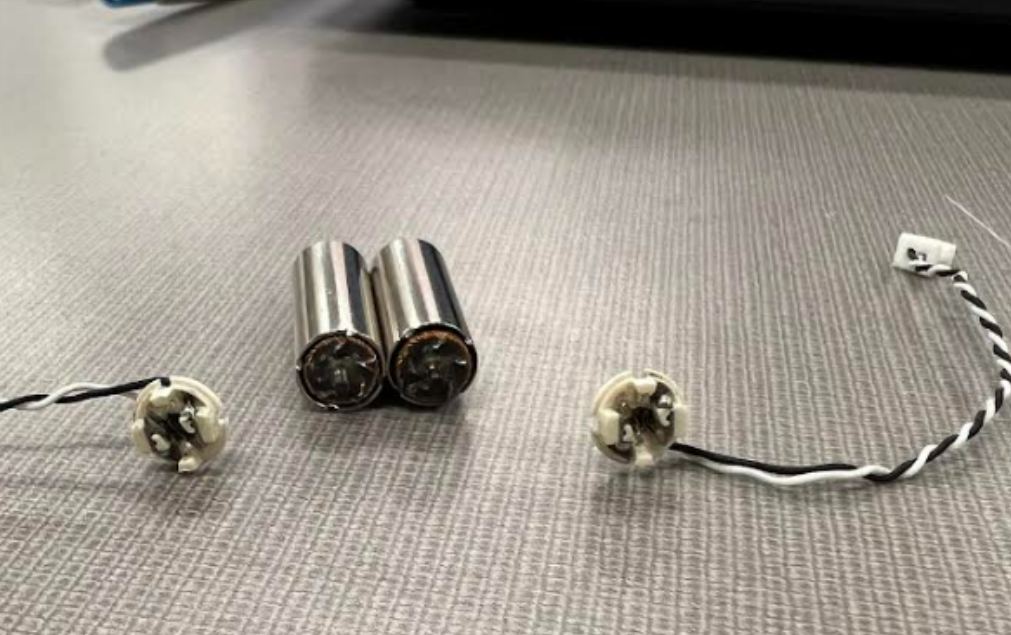
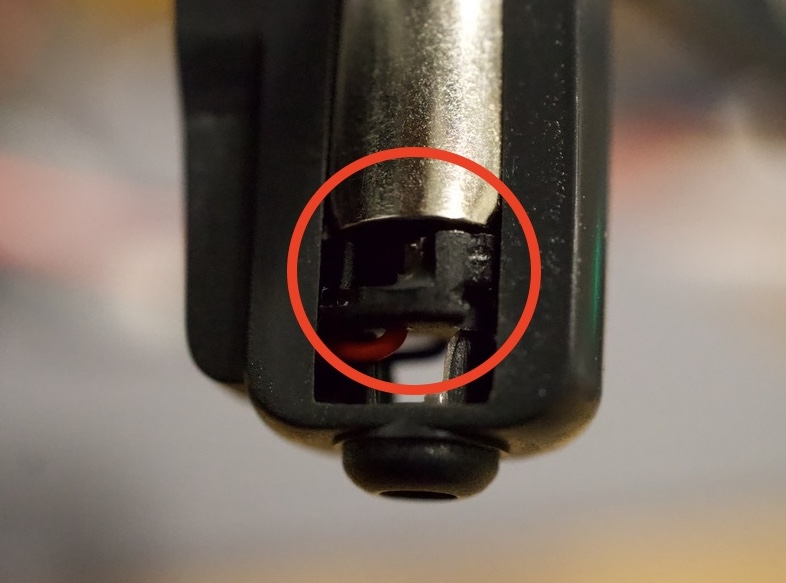
Once you have the motors removed, inspect the motors for:
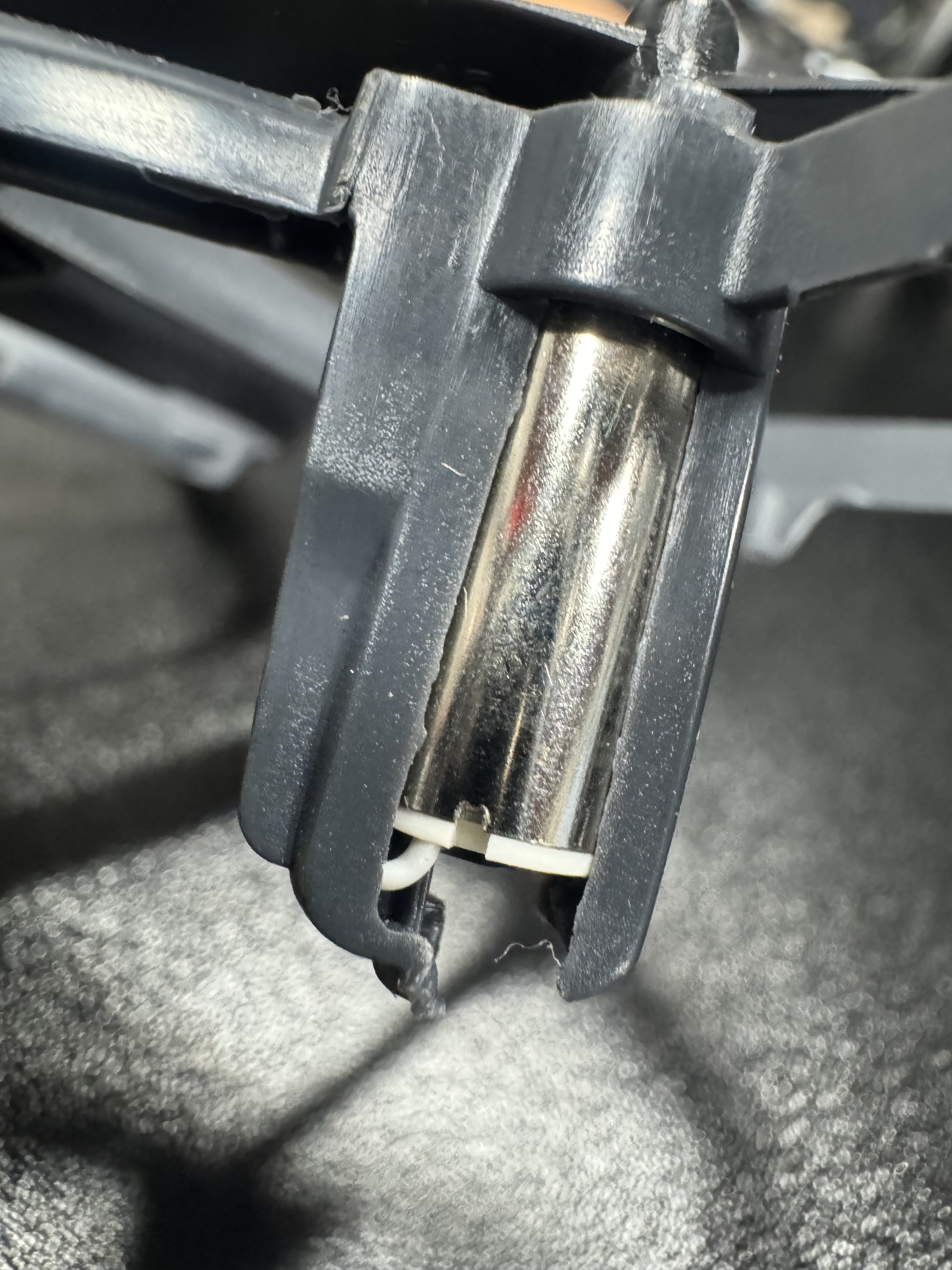
- Cracked or shattered base
- Pinched or severed wires
- Complete detachment of the plastic base from the motor.
 |  |
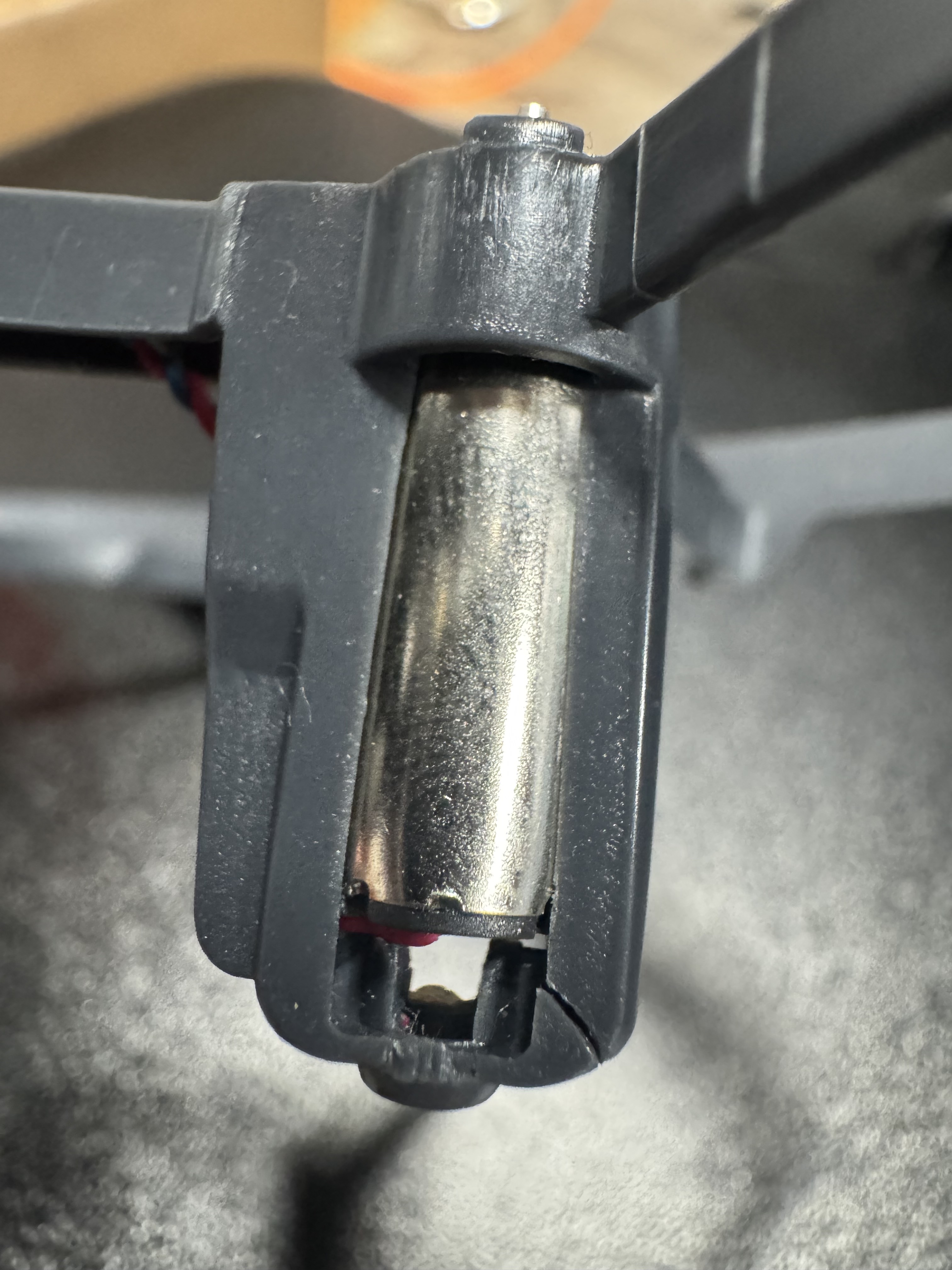
Be sure to also check your frame's motor housing for cracks on the bottom of the drone frame.
 |  |
Contact us
If you find any of the above-mentioned issues with your motors, please contact our dedicated support team at support@robolink.com. To expedite the process, provide the following information.
- Name and Order Number
- Images of the damaged motors / frames
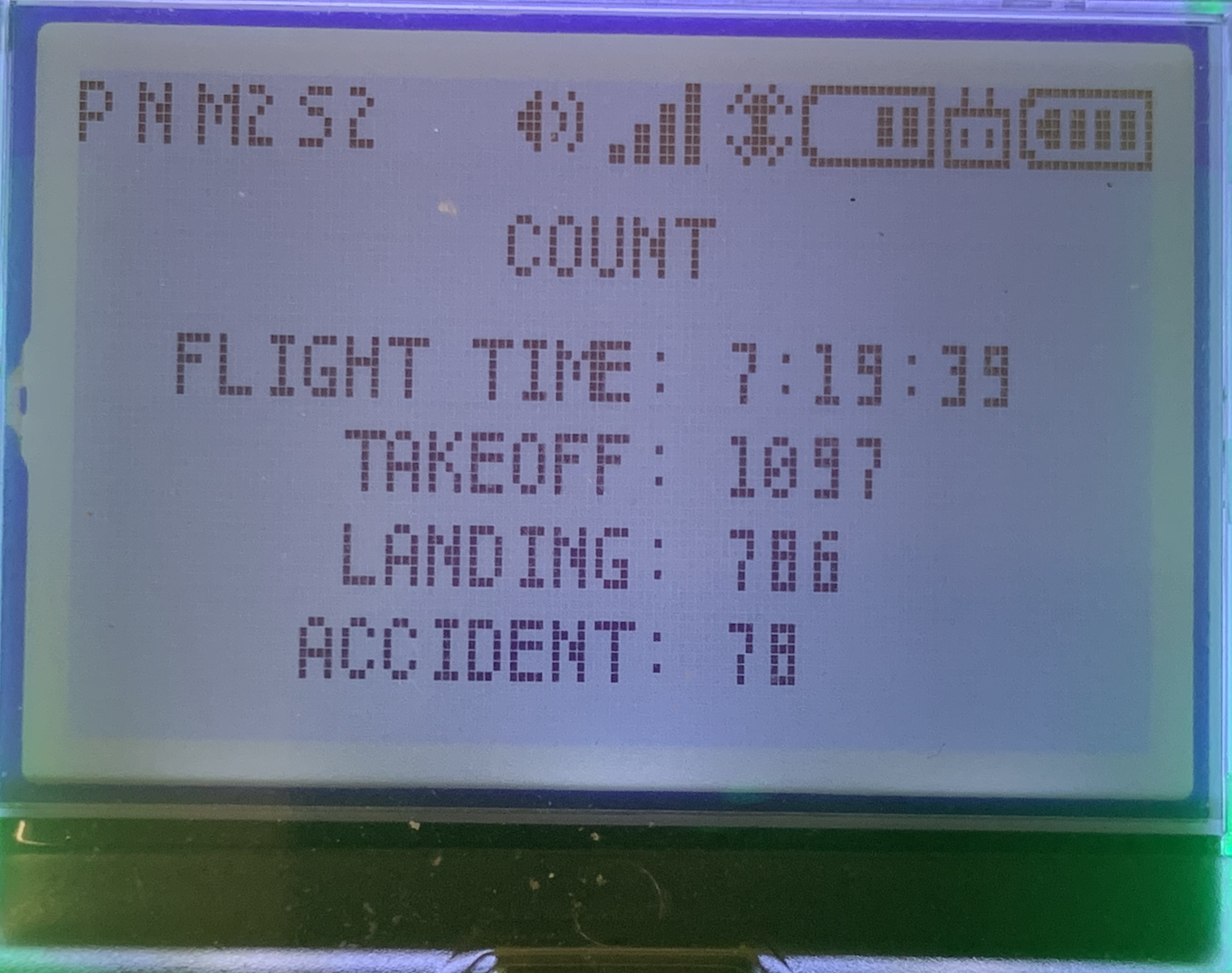
- Images of the Firmware Screen and COUNT log