Why are my propellers spinning on my CoDrone EDU but the drone is not taking off?
 Updated
by
Robolink Support
Updated
by
Robolink Support

If your drone's propellers are spinning but it’s not lifting off the ground, there are a few common causes to check. Follow the steps below to identify and resolve the issue:
- Check propeller and motor orientation
Motors and propellers are directional. Incorrect placement of the drone's propellers or motors will not create the necessary thrust the drone needs to get off of the ground. You can refer to the correct orientation here or by referencing the User Manual.
CoDrone EDU | CoDrone EDU (JROTC edition) |
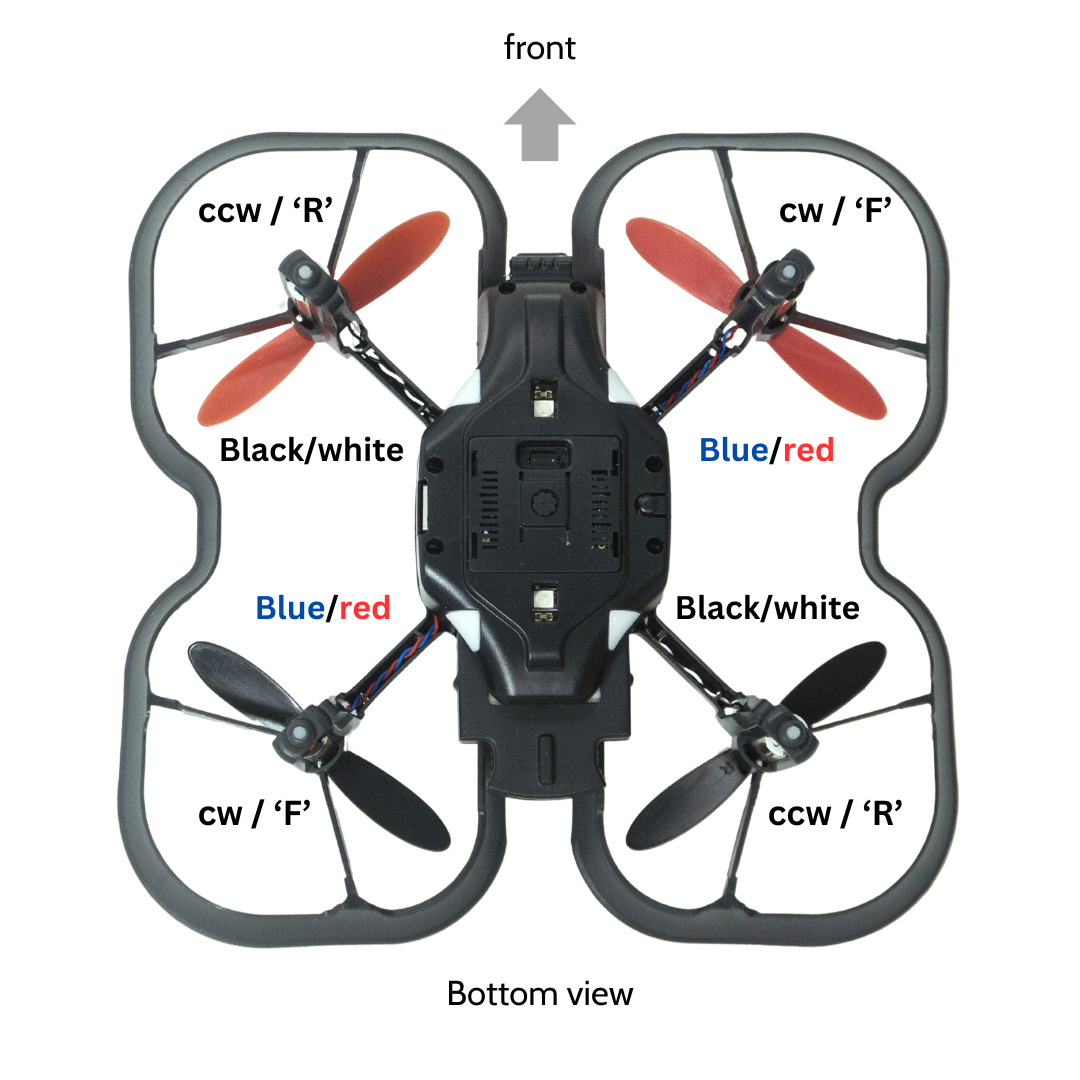 | 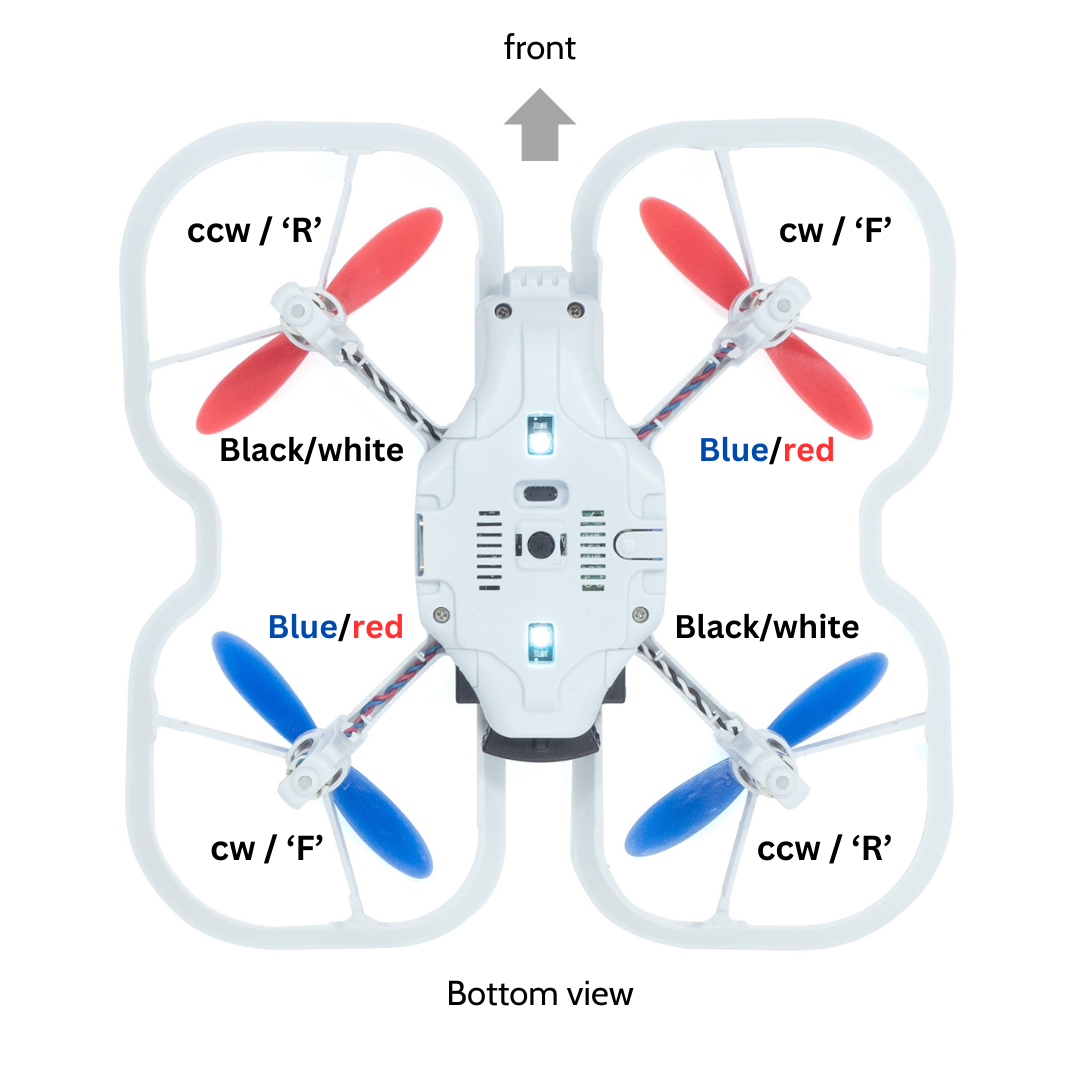 |
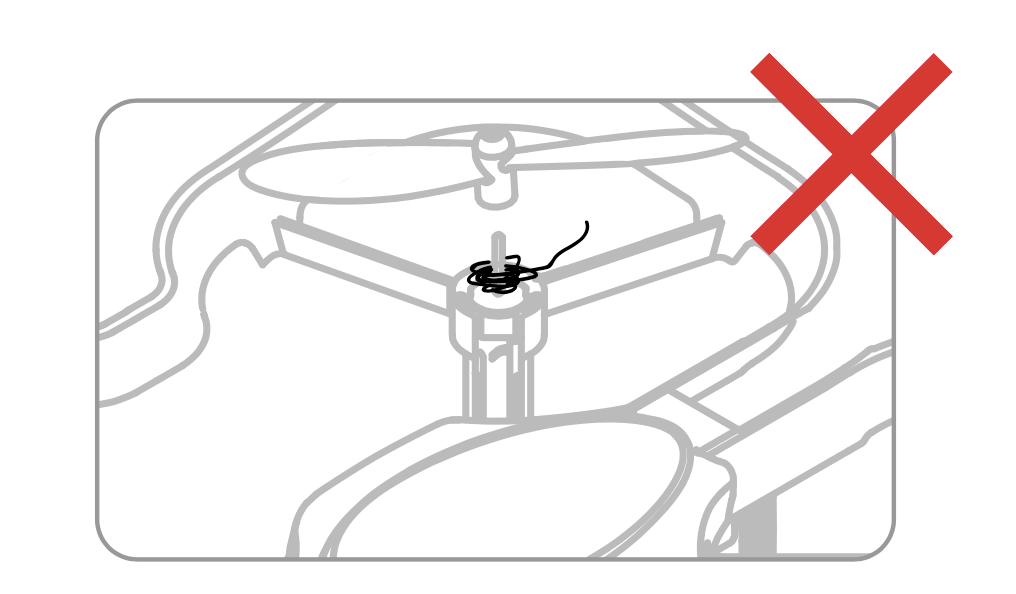
- There is debris in the motor shaft or propeller
Inspect motors and propellers for debris. The shaft should be clear of any debris that may be preventing takeoff. You may see this presented as a "vibration error" on the controller screen.
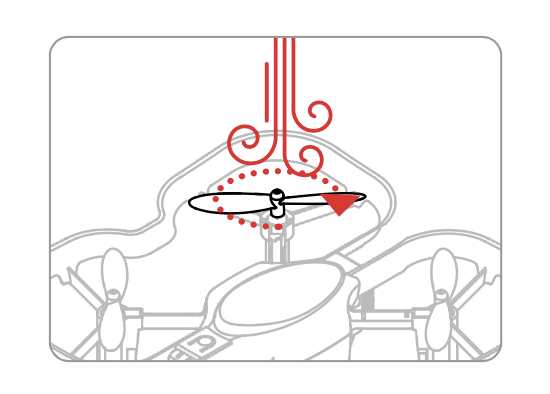
- Motor shaft is damaged
If you are still having trouble taking off, blow on the propeller to check that the motor is not wobbling. A motor that is wobbling may not take off correctly. Replace the motor and try taking off again. Pay attention to the orientation of the motor when you are replacing it.
If you’re still having trouble, feel free to reach out to us at support@robolink.com with a description of the issue and any images or videos that might help us assist you better.
