My CoDrone EDU will not take off and the drone is flashing RGB lights underneath.
 Updated
by
Robolink Support
Updated
by
Robolink Support

If your drone is not taking off and you observe the underside LEDs flashing red, green, and blue (RGB), this indicates an issue with the bottom height sensor.
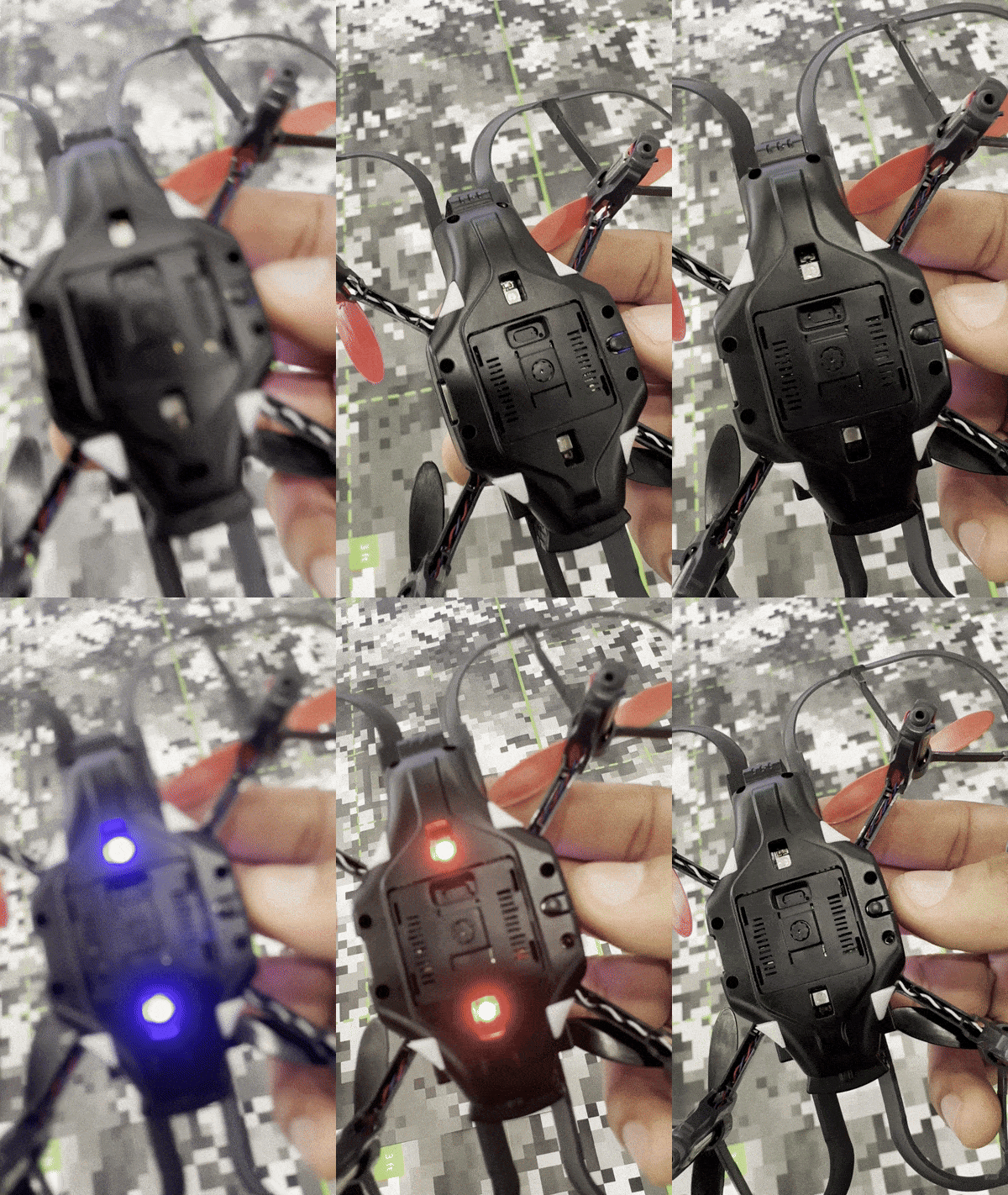
You might also see this error message occur on your controller screen:
" [Range Ground] ERROR RESTART THE DRONE "
To resolve this issue, please follow the steps below:
- Update your drone and controller to the latest firmware
The latest firmware update includes improvements that resolve this irregular behavior. If you have not already, please update both your drone and controller to the latest firmware by following this link here.
- Power cycle your drone (Reset Drone)
To reset your drone, take out the drone battery and re-insert it. This process resets the drone and should resolve the issue. If the issue occurs again immediately, proceed to step 2.
- Inspect the bottom height sensor
Take a closer look at the bottom range sensor. See if there's any dust, debris, or particles that are blocking the area. If you see some debris, gently remove it with tweezers. Avoid rubbing or touching the sensor with your hands. If there's no debris, proceed to step 3.
- Change the takeoff surface
Try taking off from a different surface. Certain surfaces, like dark carpets or reflective materials, can interfere with the height sensor readings.
- Avoid Leaving the Drone Powered On Unused
If the issue persists, avoid keeping the drone powered on for an extended period (more than 20–40 minutes) on a single battery charge, especially if it is not actively being used for programming or manual flying. Leaving the drone on without activity can lead to performance issues. If you are not using the drone, please turn it off and remove the battery.
If these steps do not resolve the issue, please contact our support team for further assistance. Be sure to include details about the environment and any other observations.
