What should I do if my controller's joystick is stuck?
 Updated
by
Robolink Support
Updated
by
Robolink Support

If your joystick becomes stuck in a position other than center, it can typically be resolved with a simple adjustment. Please follow the steps below:
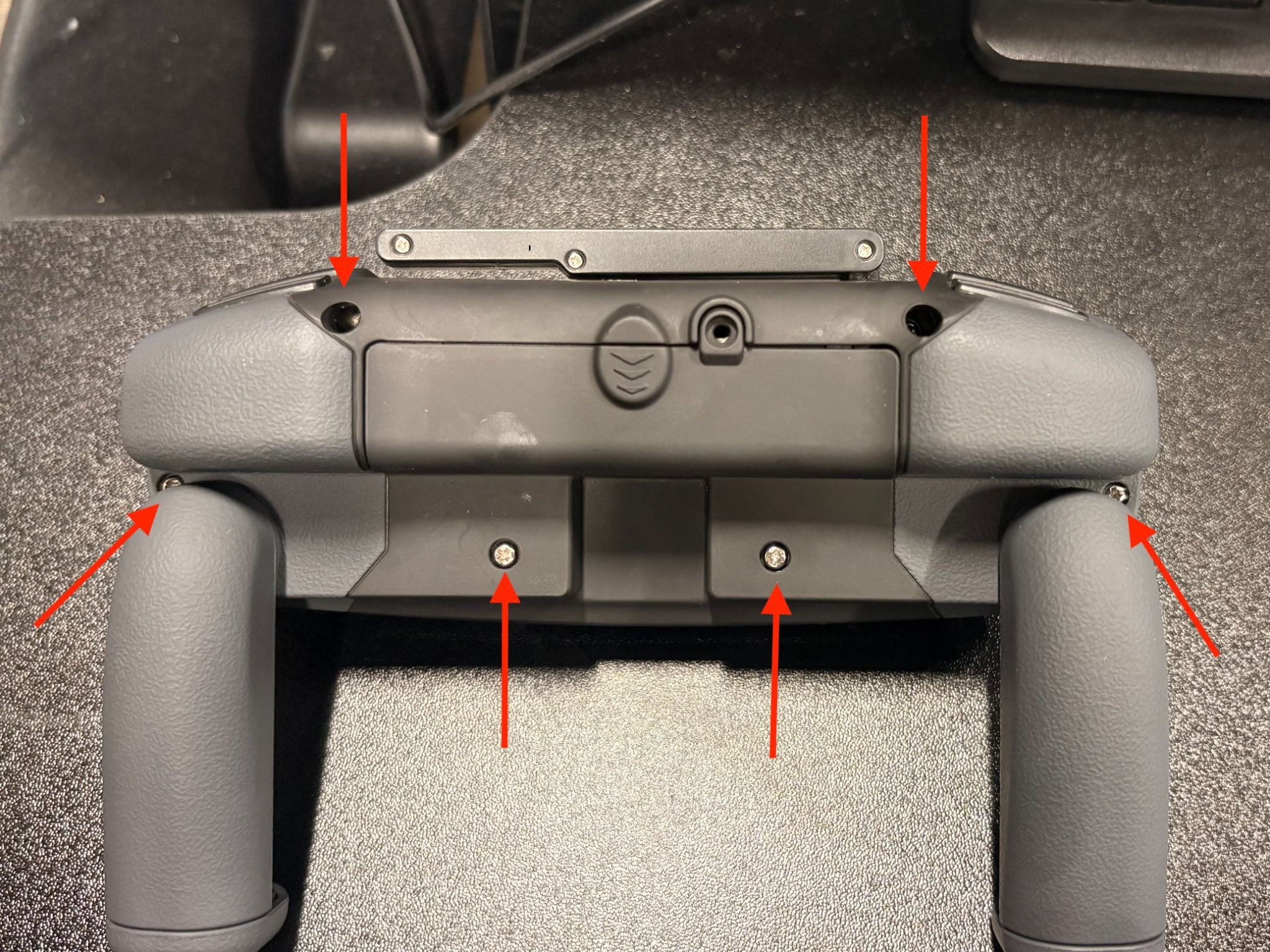
- Remove the back cover of the controller.
- Gently detach the joystick from its post.
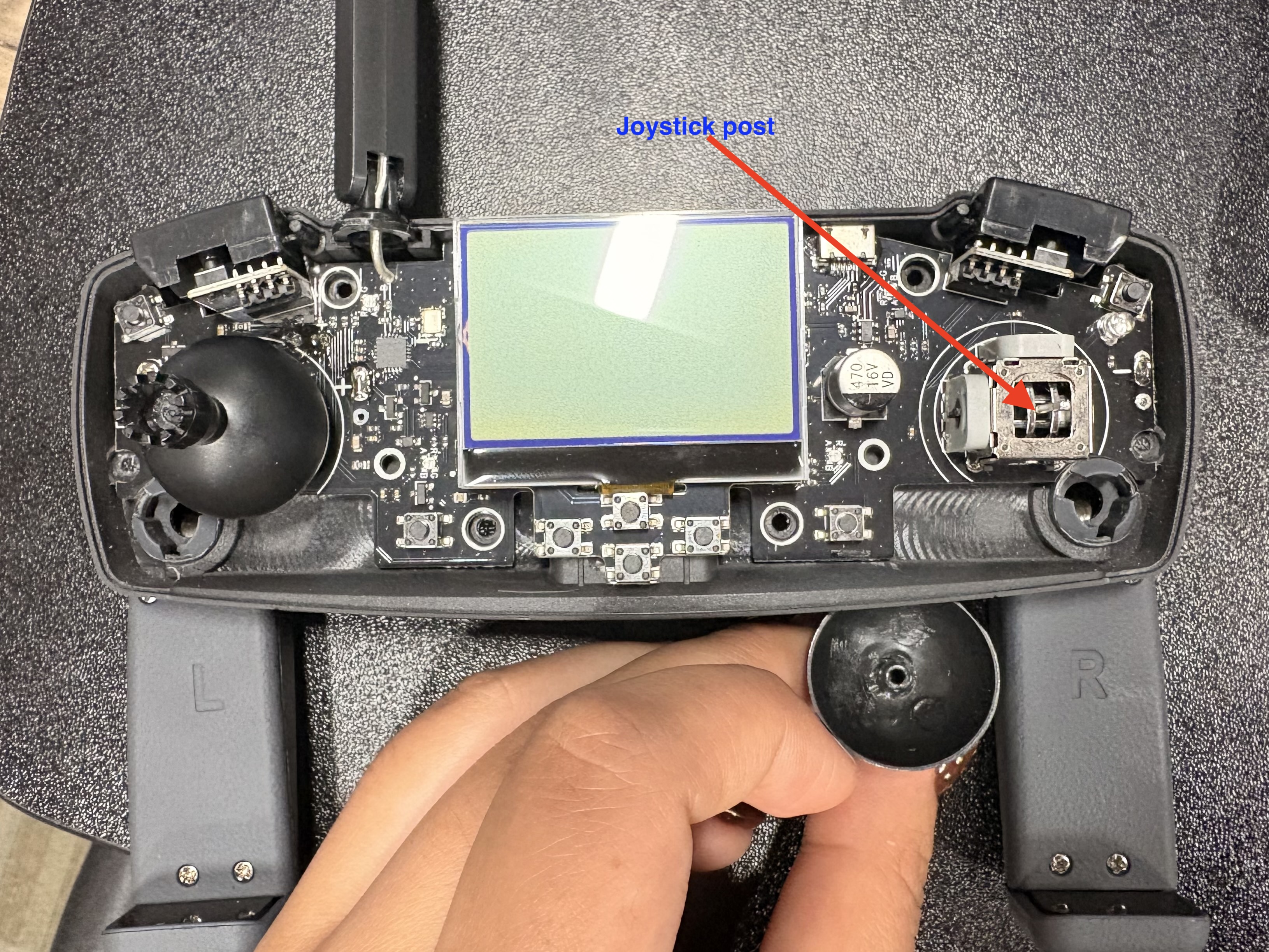
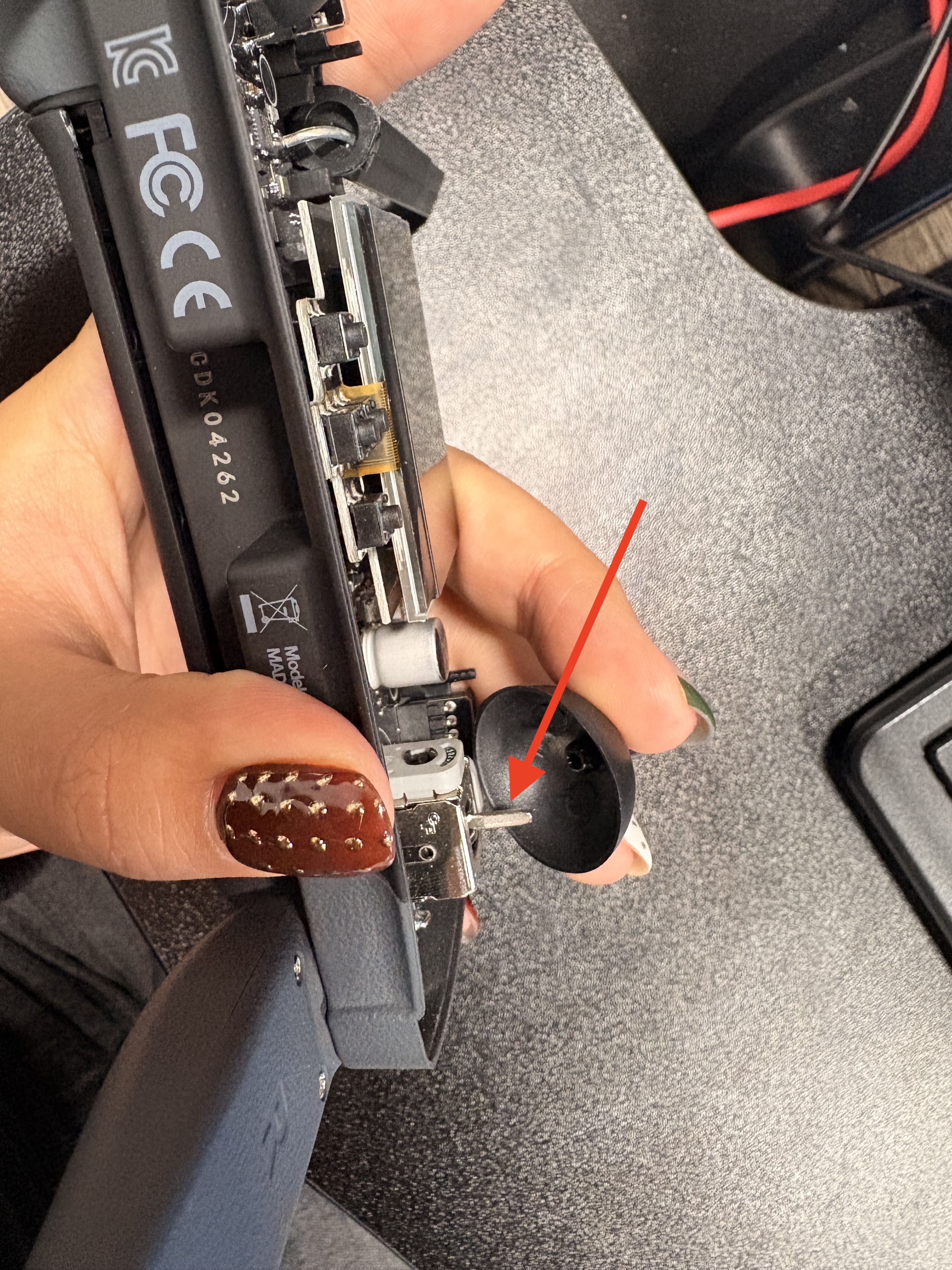
- Clean the joystick post to remove any debris or buildup.
- Reattach the joystick and rotate it in small increments until it moves freely and no longer sticks in one position.
- Reassemble the controller.
Tip: When placing the joystick back onto the post, avoid pressing down too firmly, as excessive pressure can cause it to stick again.
Once complete, your controller should function normally—happy flying!
If you have any questions or need further assistance, please contact support@robolink.com.
