Why Won’t My CoDrone EDU Controller Turn On with Batteries?
 Updated
by
Robolink Support
Updated
by
Robolink Support

If your CoDrone EDU controller isn’t powering on, the issue may depend on which version of the controller you're using: the standard CoDrone EDU or the CoDrone EDU (JROTC edition). Let’s go over the steps to help you troubleshoot both types.
Standard CoDrone EDU Controller
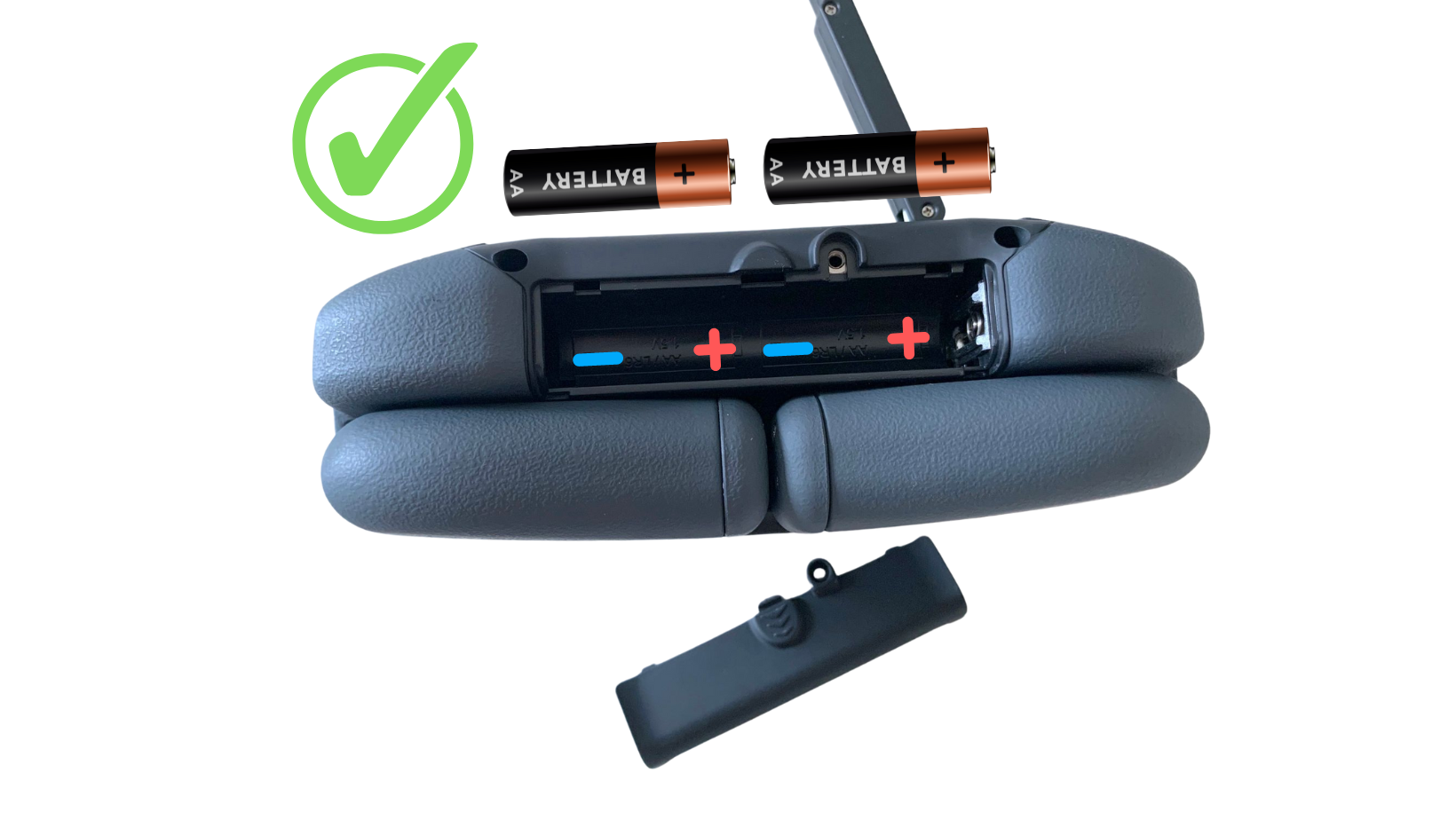
The Standard CoDrone EDU controller needs AA batteries to power on the controller. If you are using AA batteries to pilot your drone, and the controller does not fully power on, you might observe:
- The Robolink logo briefly appears on the screen
- LEDs flash momentarily
- The power button LED turns on and off, but the screen does not stay on.
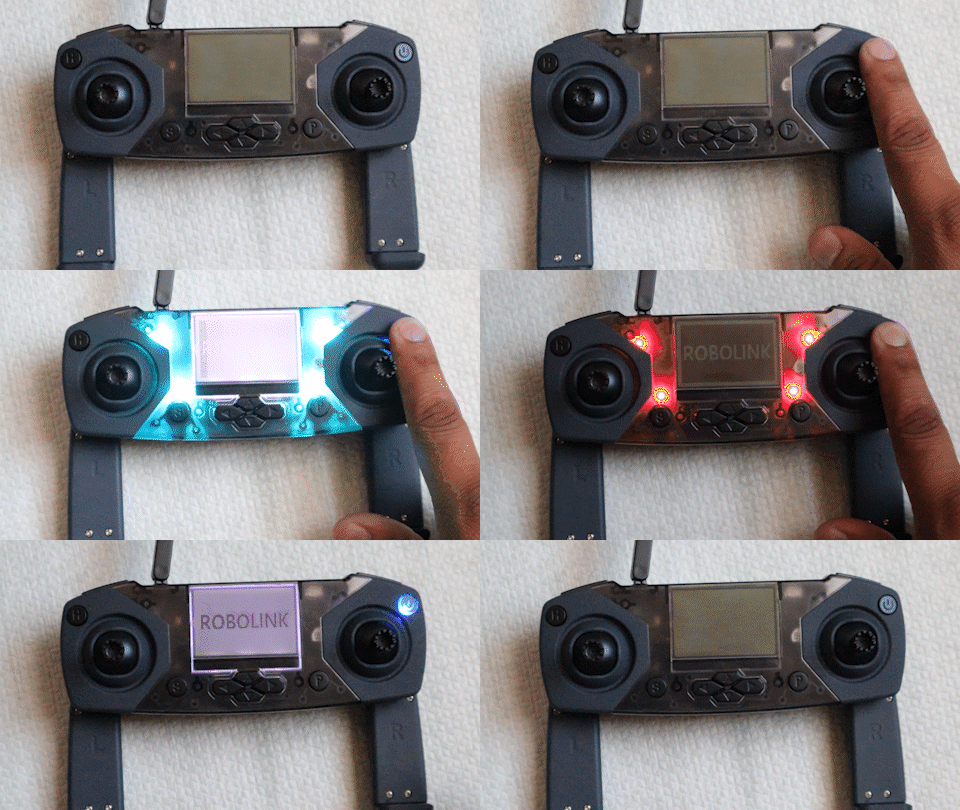
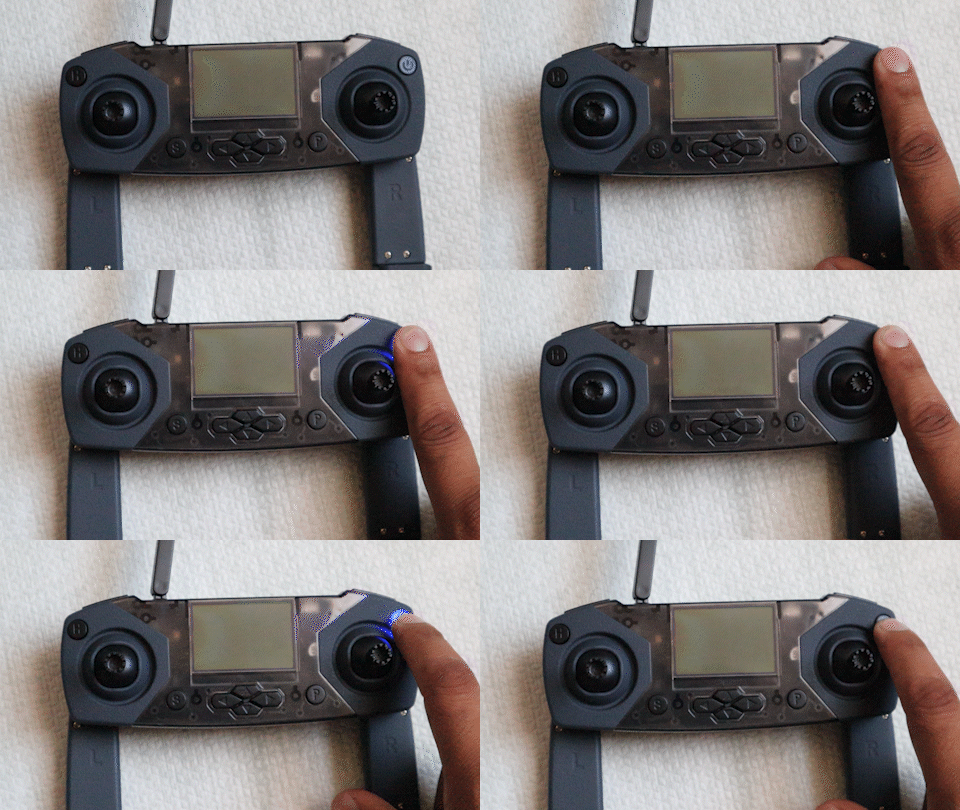
This usually means your batteries are running low and need to be replaced. Low battery voltage can prevent the controller from staying powered on.
When you replace batteries, always ensure the batteries are inserted correctly, matching the (+) and (–) symbols in the compartment. Incorrect placement can damage the controller.
CoDrone EDU (JROTC Edition) Controller
Unlike the standard version, the JROTC controller does not use AA batteries. Instead, it is powered by a single EDU drone battery inserted into the controller’s battery slot.

What to Check:
- Make sure a charged drone battery is inserted securely into the controller’s battery compartment and oriented correctly.
- Gently but firmly press the battery down until it slides fully into place. The battery should not be loose or able to slide out easily.
- To ensure the battery stays secure during use, reattach the back cover of the controller, which helps hold the battery firmly in place.
If none of these resolve the issue, contact us at support@robolink.com for further assistance.
