How do I charge Zumi?
 Updated
by
Leila Firestone
Updated
by
Leila Firestone
Low Battery
When Zumi's battery is low, Zumi will beep and flash the lights. When this happens, it's time to charge the battery. You can read the battery percentage from the screen doing the bootup or from the dashboard.
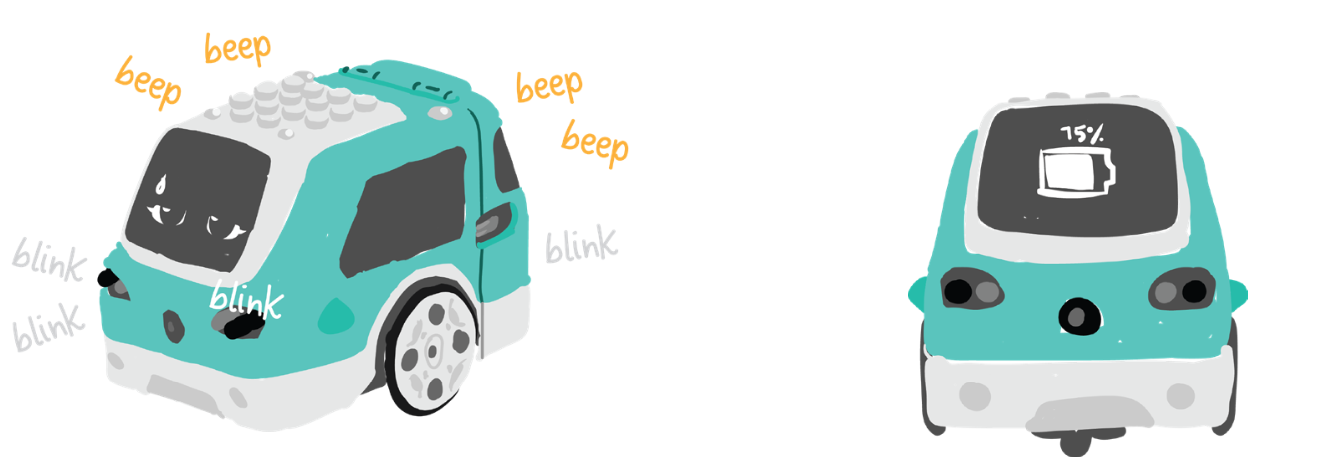
Charging while Zumi is OFF
If Zumi is currently off but you want to charge up the battery for next time, simply connect the micro USB cable into the micro USB port, located where you’d usually find the gas tank on a car. Connect the other end to a USB outlet or to your computer's USB port.
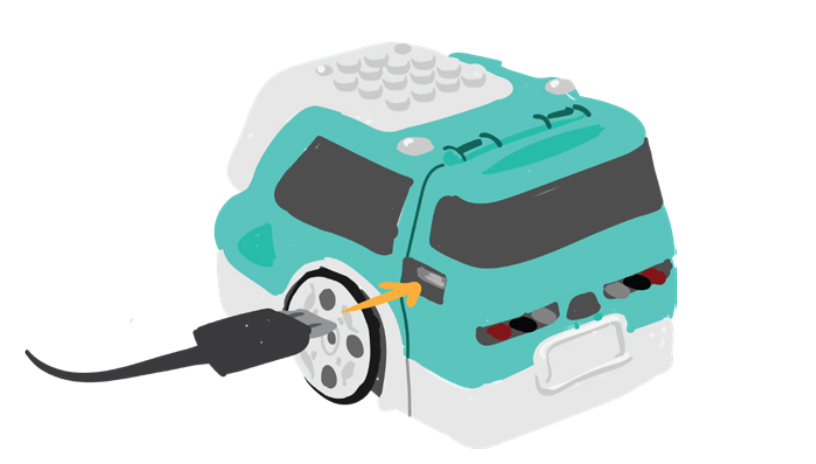
The red LED will turn on while Zumi is charging. If you see the "Charging" screen, then your Zumi is in charging mode and you cannot access the dashboard. When the red LED turns off, you can disconnect the cable.
Charging while Zumi is ON
If you have already turned on the power switch and you are actively using Zumi, you can still charge Zumi while using the dashboard. This is very useful for when you're just coding and don't want to drain the battery.
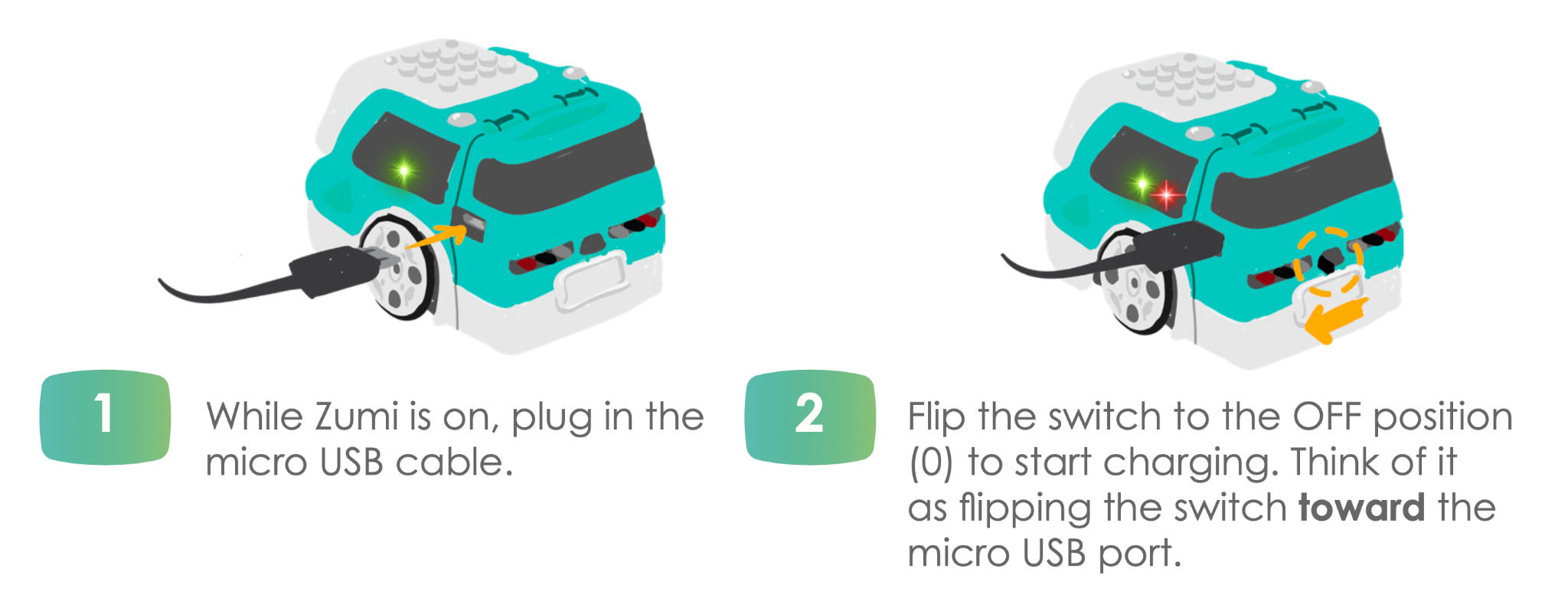
The full lesson on powering and charging Zumi can be found here: 0.3: Powering, charging, and connecting