How do I make a student account?
 Updated
by
Robolink Support
Updated
by
Robolink Support
Student Accounts & Progress Tracking
Creating student accounts is optional. Students only need accounts if you want them to track and save their progress digitally.
At this time, there is no classroom management feature however, it is on our road-map and we look forward to releasing this feature soon.
How to Create a Student Account (2 methods)
Method 1: Teacher Creates Student Accounts (Recommended)
- We strongly recommend that teachers create student accounts under their own account
- This allows you to keep track of student usernames and passwords, making it easier to monitor progress
- Go to learn.robolink.com
- Log into your teacher account
- NOTE: If you haven't made a teacher account yet, please visit this Robolink Help article about making a teacher account.
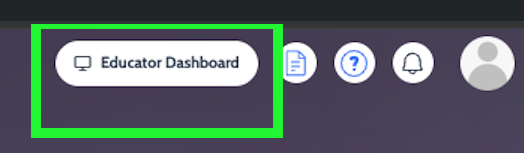
- Navigate to the Educator dashboard!
Method 2: Students Create Their Own Accounts
- Click “Log In”, create an account, and select "Student or Learner" account
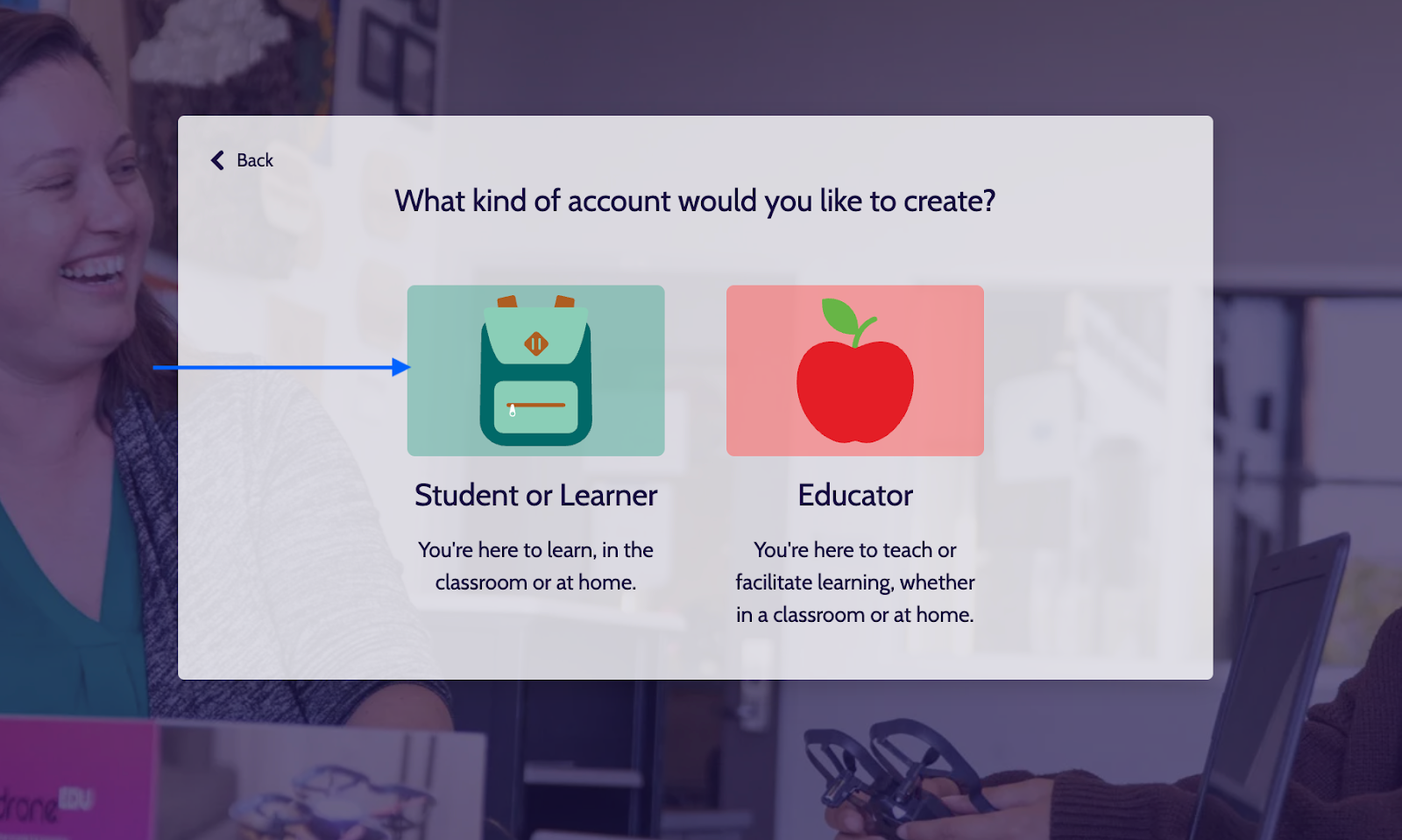
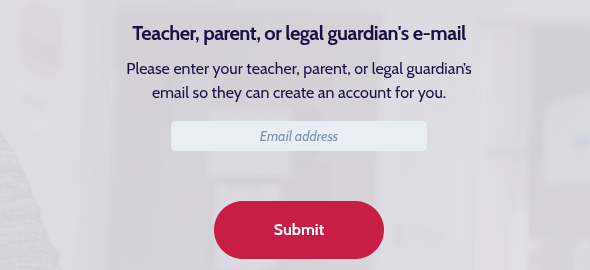
For Students under 13: They can create an account independently; however, they are required to provide a teacher’s, parent's, or guardian’s email address during registration. Students will be prompted to enter teacher's, parent's, and legal guardian's email (shown below).
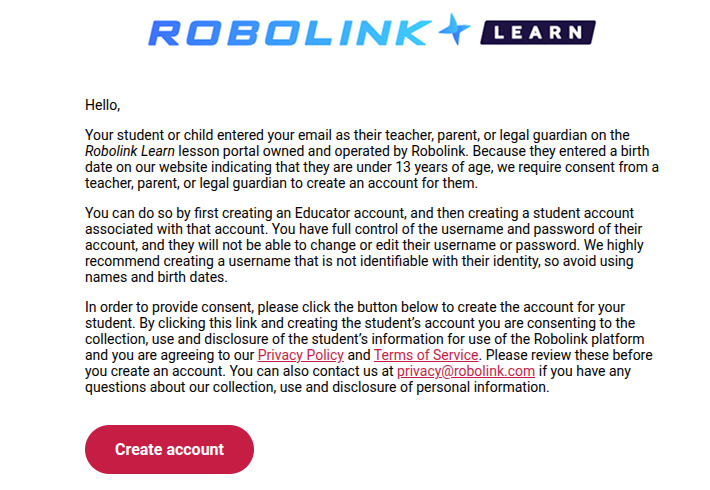
For Students under 13: An approval email will be sent to the teacher/parent/legal guardian of the student.
For Students 13 and older:
Can create an account independently.
No teacher or parent approval is required.
If students create accounts independently, there is currently no way to link their accounts to your teacher account.
Can create an account independently.
No teacher or parent approval is required.
If students create accounts independently, there is currently no way to link their accounts to your teacher account.
If you have any questions, feel free to reach out to support@robolink.com.
