Why do I get 'wrong microcontroller found' when I try to run code for my Rokit Smart?
 Updated
by
Robolink Support
Updated
by
Robolink Support
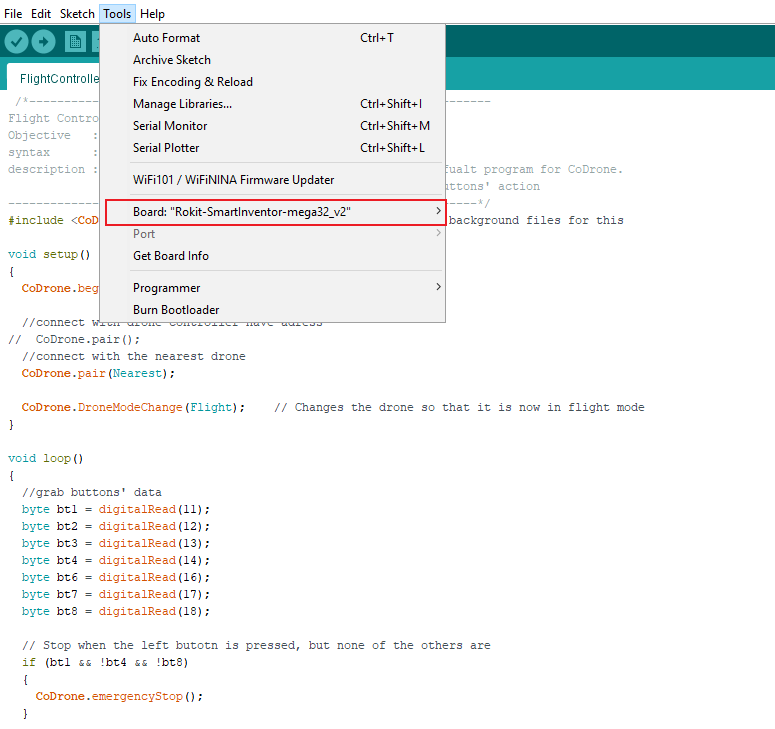
If you receive the 'wrong microcontroller found' error message when trying to run code for your Rokit Smart, make sure that the Rokit Smart Inventor board is selected as your current board in Arduino. If you are unsure of how to do this, follow the device setup instructions found on our Basecamp here.
Make sure when following the device setup instructions that you follow ALL of the steps. If you skip a step, the Rokit Smart Inventor board may not appear in Arduino.