How to check if you have included Professional Development!
 Updated
by
Robolink Support
Updated
by
Robolink Support

Purchasing a 12-pack or 18-pack classroom bundle for your school may include an attached "Getting Started" Professional Development (PD) session credit.
Check your order for available PD session credits using the following steps:
- Navigate to Robolink Learn (note: you will need to create an Educator account if you do not have one already) and Sign in to your Educator Dashboard and locate the PD Order Finder at the bottom-left.
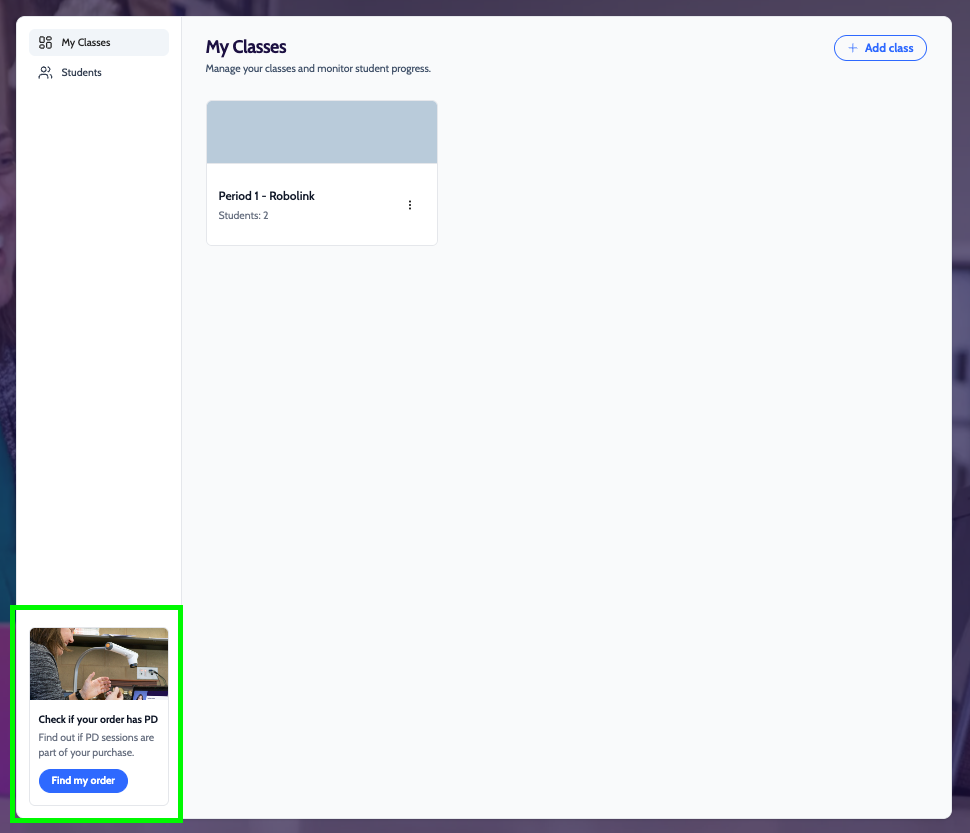
- Select Find My Order.
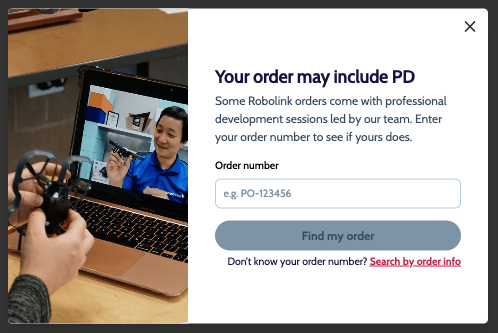
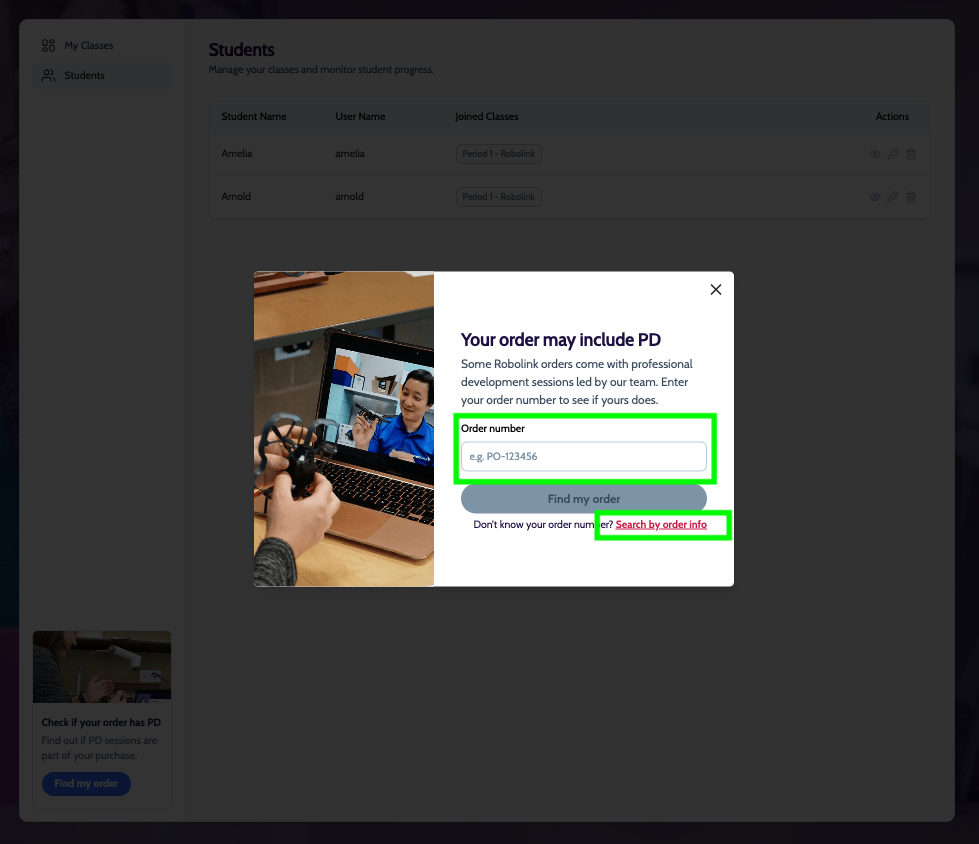
Search for your purchase using one of these options:
1. Provide your order number directly.
2. Select Search by Order Info if the order number is unavailable.
1. Provide your order number directly.
2. Select Search by Order Info if the order number is unavailable.
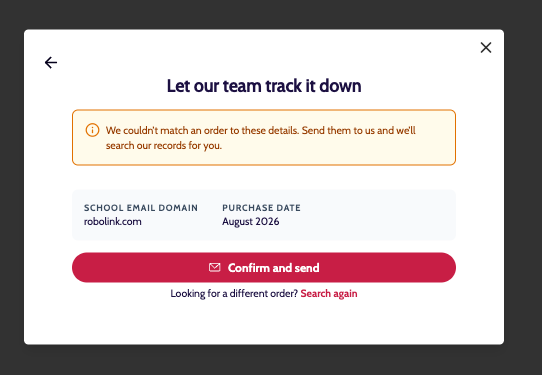
Contact our team for assistance if your purchase is not listed.
- Choose to schedule once an existing order is identified.
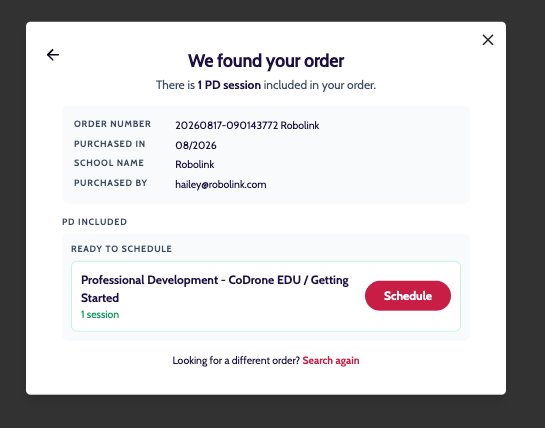
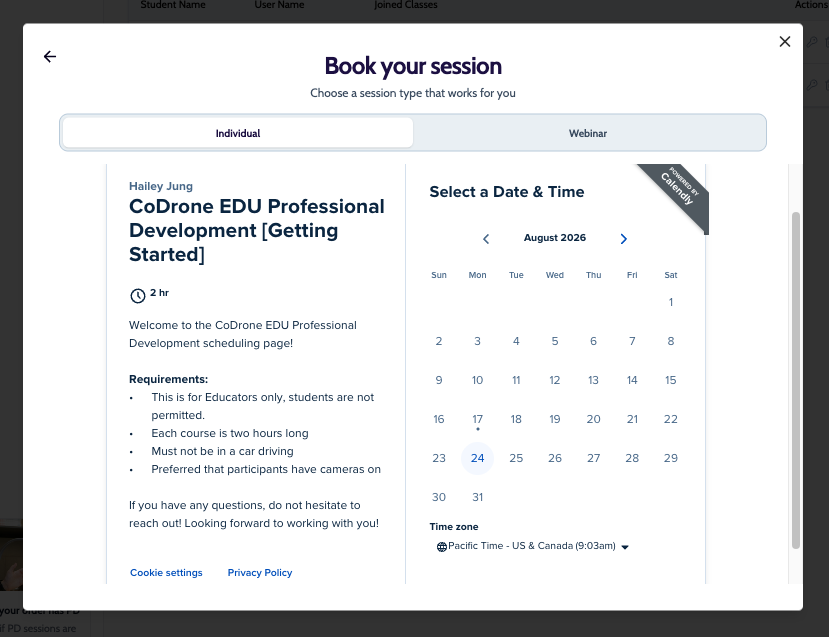
- Select your preferred format: an independent PD session or a monthly webinar series.
Please note: Independent sessions support up to 12 instructors from your organization, whereas webinars are intended for individual educators seeking to connect with peer schools. A single Professional Development order cannot be divided across both formats, so you must select either an independent session or a webinar.
Please reach out to support@robolink.com if you have any questions.
