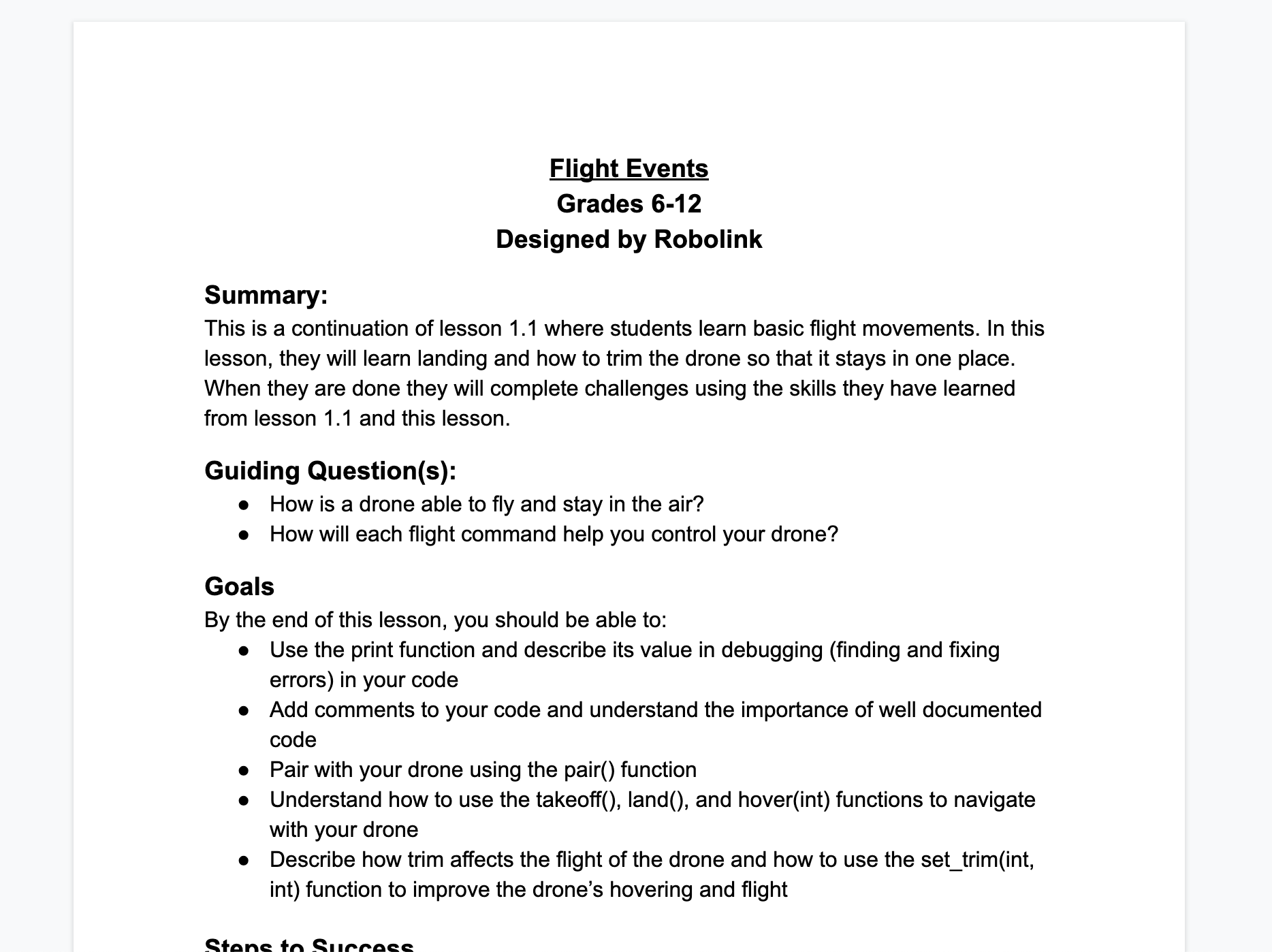
Where can I see the lesson plans?
 Updated
by
Robolink Support
Updated
by
Robolink Support
All of our lessons are located at Robolink Learn. Here, you can choose which kit you're looking for lessons about, including legacy kits. (For legacy kits, you can scroll down to the "For Legacy Kits" section of this article.)
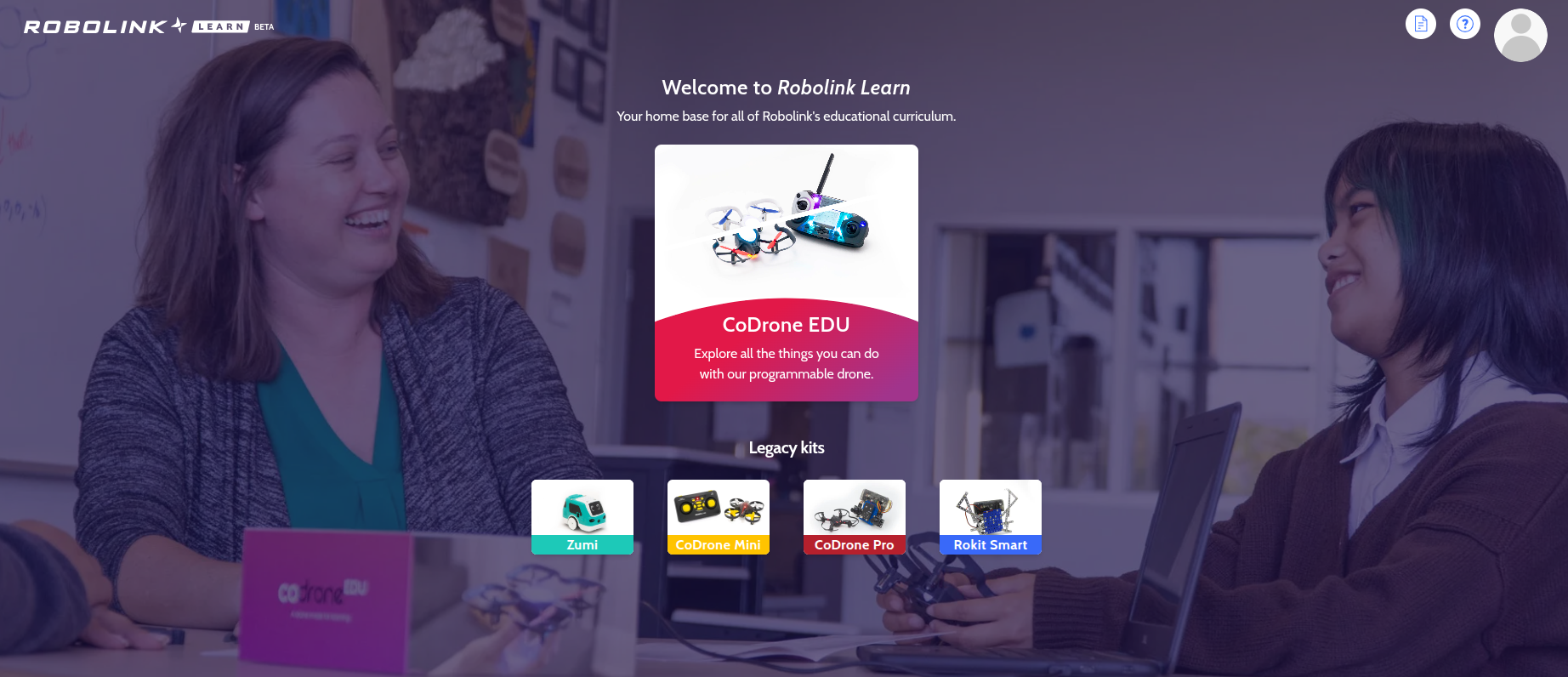
For CoDrone EDU / CoDrone EDU (JROTC ed.)
Once you are at Robolink Learn,
- Click on the "CoDrone EDU" button, and once you enter the new page, scroll down until you see these courses:
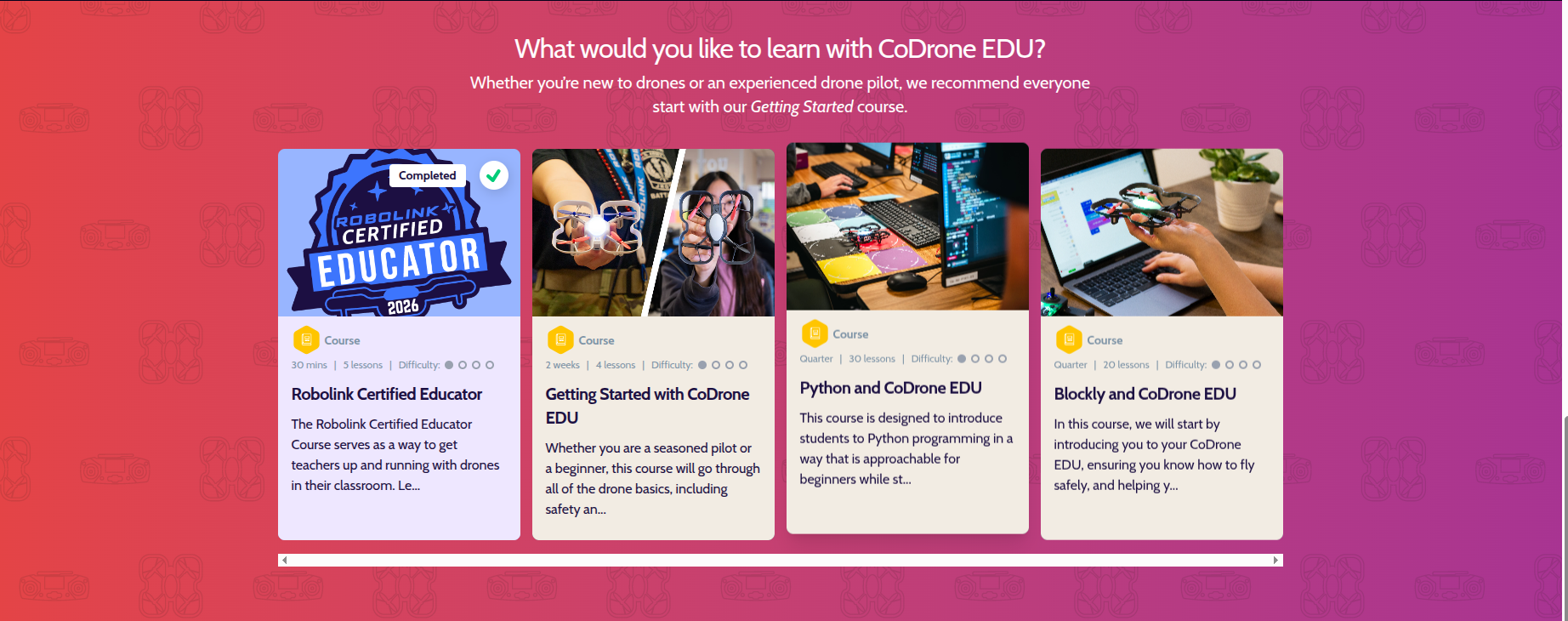
- Click on the course to select your course and, once you're at the course page, you will see a list of units, each containing a list of lessons.
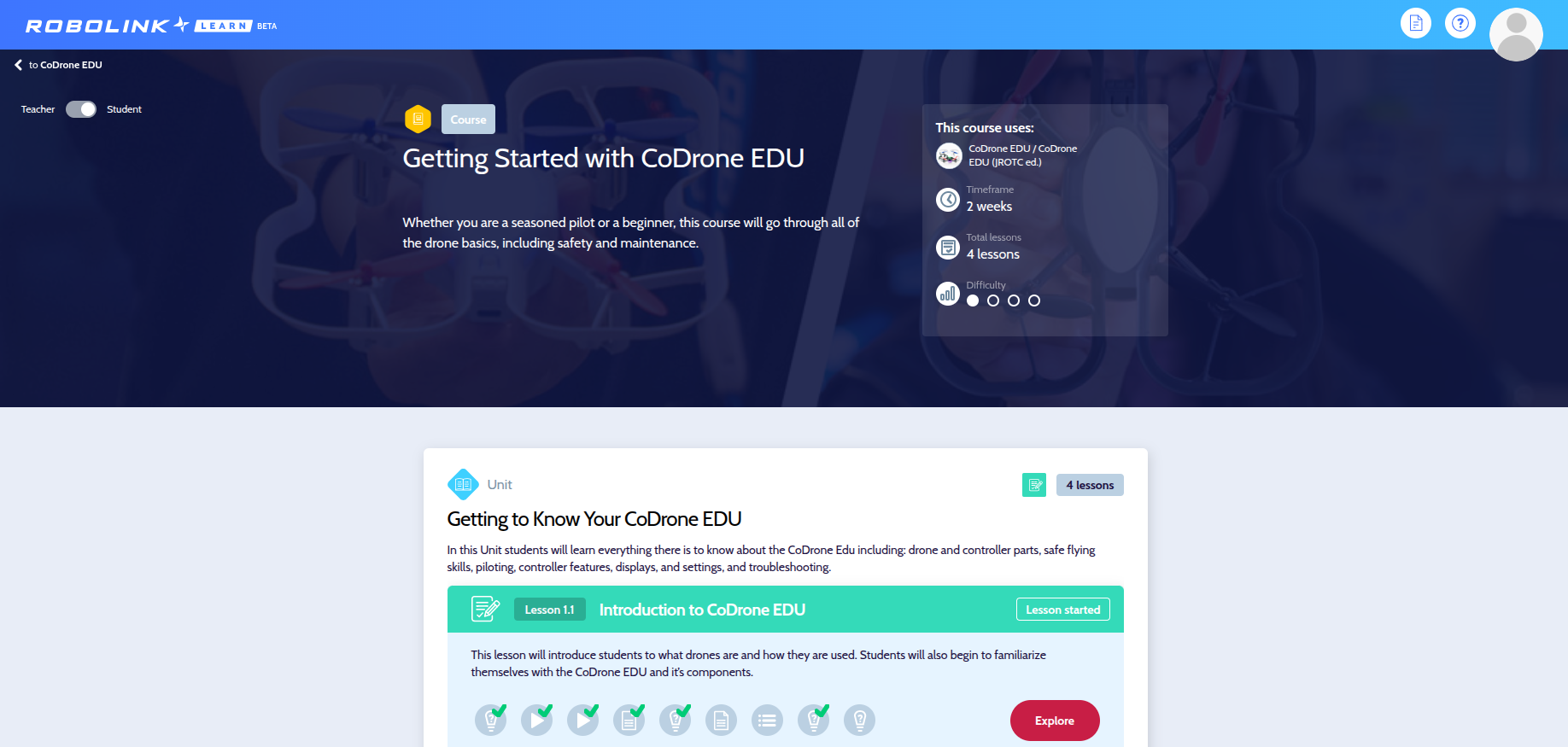
- Click on any lesson to select your lesson and, once you're at the lesson page, click on the "Teacher Resources" button. The toggle button on the left should be toggled to "Teacher".
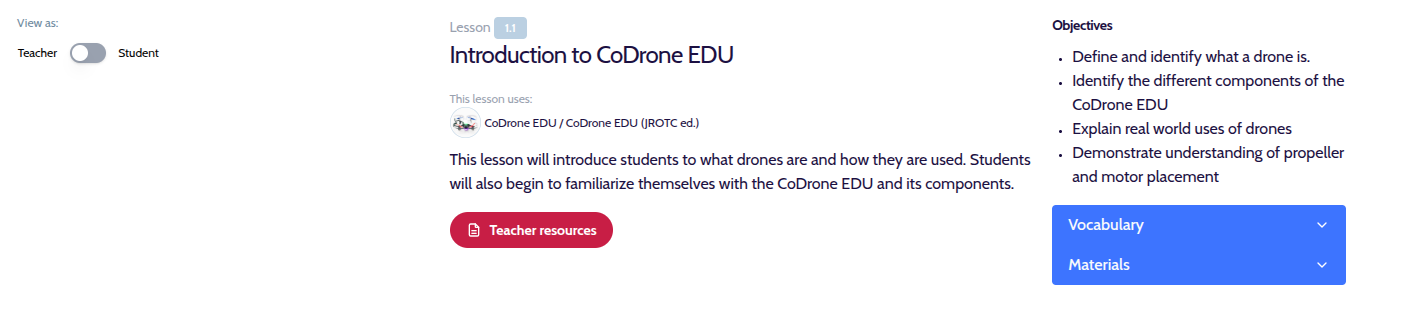
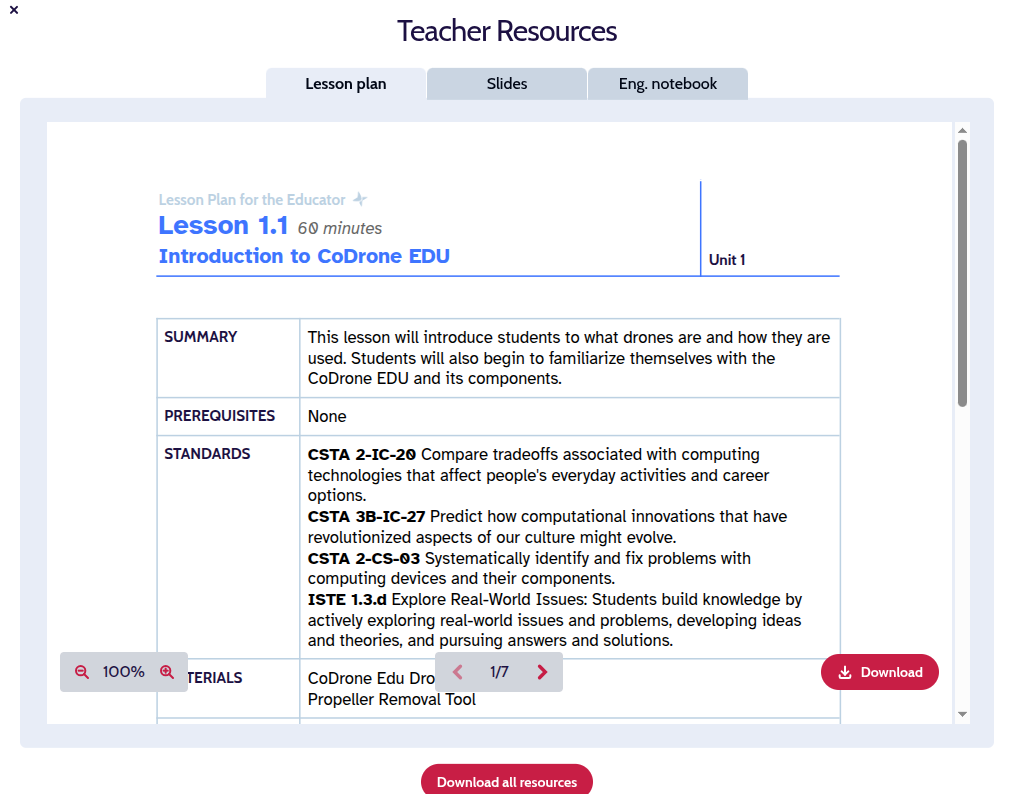
Once you click on the "Teacher Resources" button, you'll find the lesson plans with objectives, guiding questions, materials needed, and goals. You'll also find standards alignment for ISTE and CSTA.
For Legacy Kits
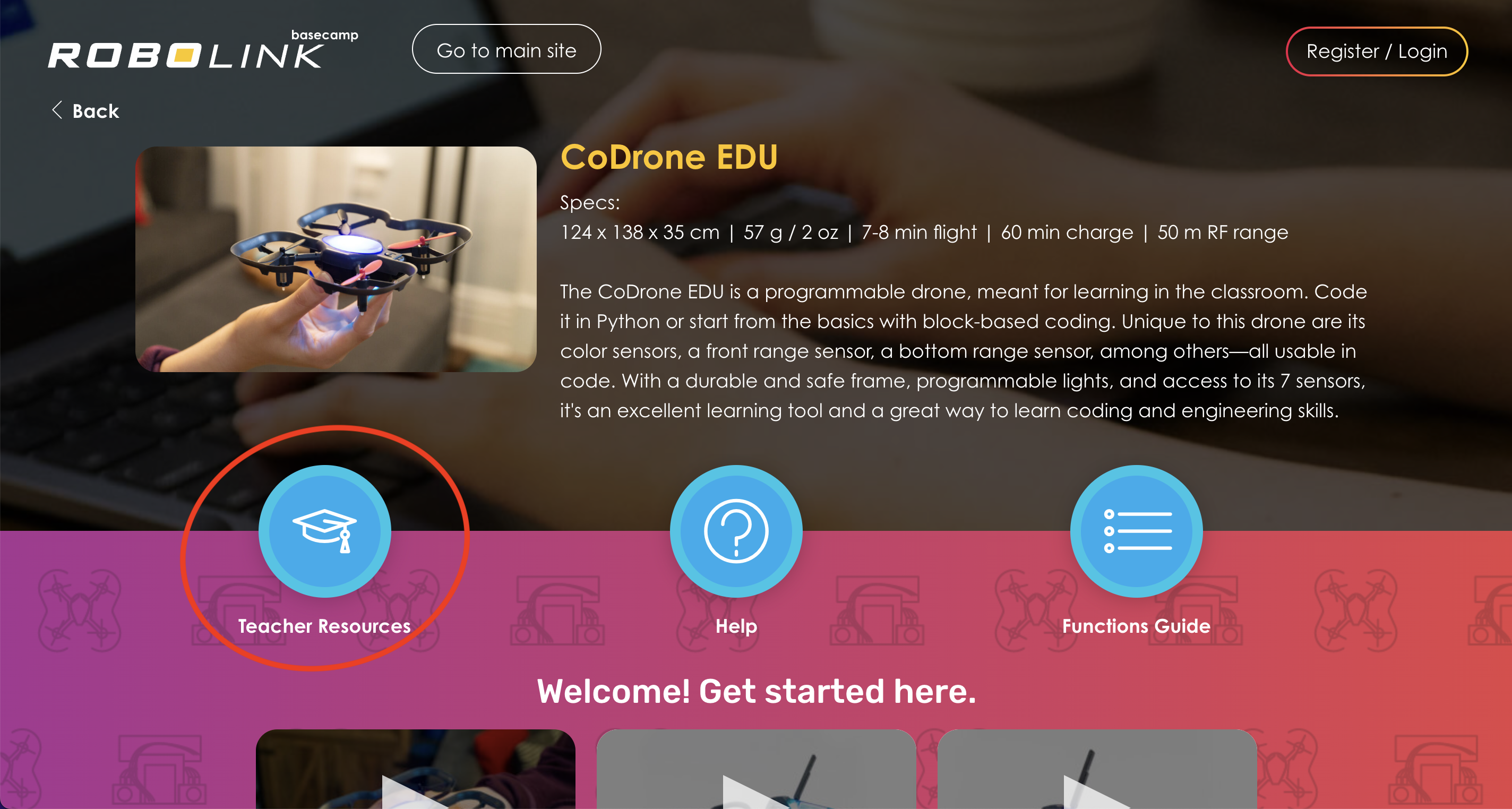
For legacy kits (Zumi, CoDrone Mini, CoDrone Pro/Lite, and Rokit), all of our lessons are located at Basecamp. You can choose which kit you're looking for lessons about, and then you can click on "Teacher Resources" to access all of the lesson plans for that kit. For example, here is the CoDrone EDU page on Basecamp.
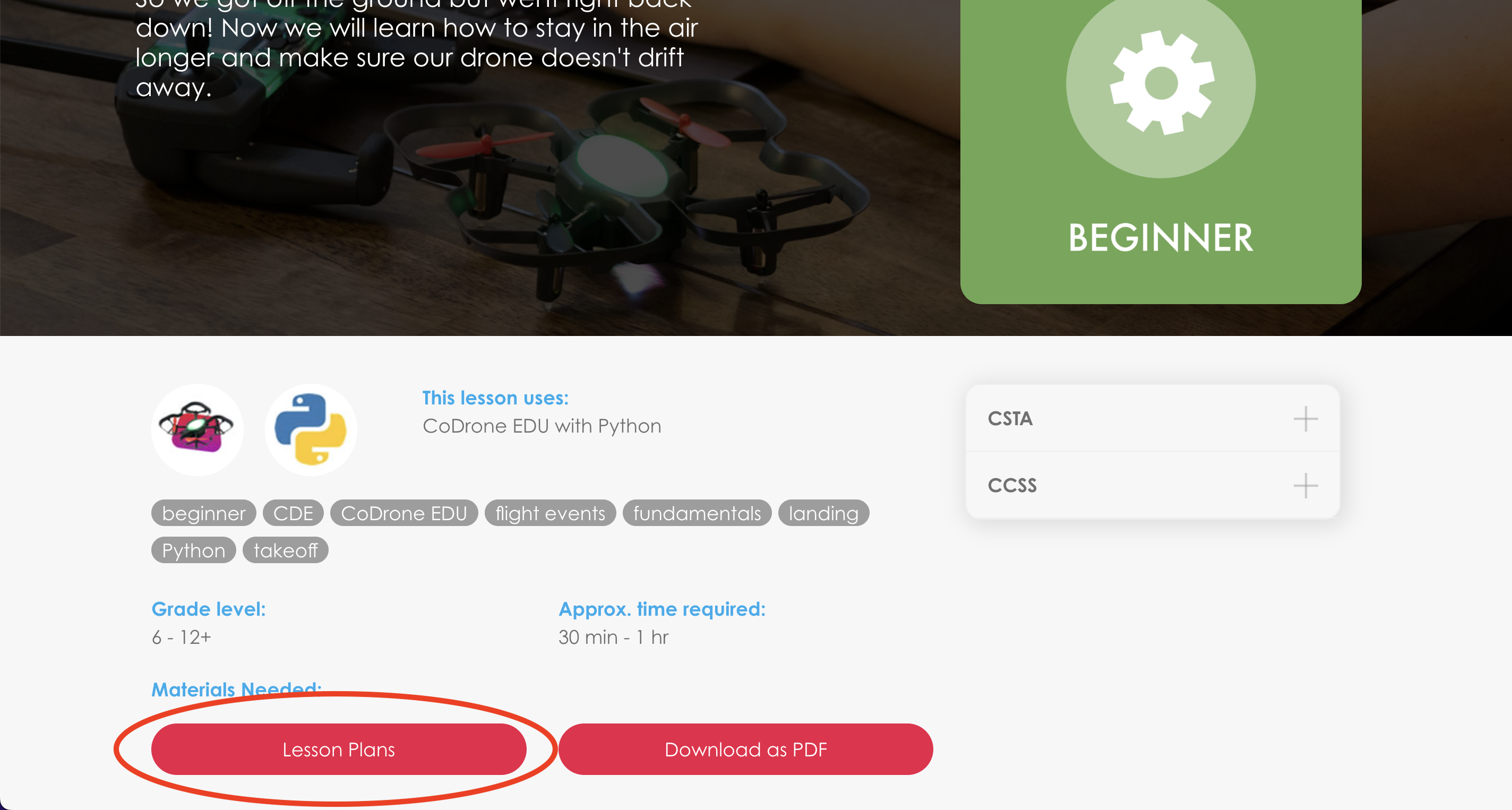
You can also click into a particular lesson, and use the "Lesson Plans" button to view the lesson plan associated with that particular lesson. Think of the lesson on Basecamp as the student-facing content, and the lesson plan as the accompanying lesson plan to help the instructor or teacher plan for the class. Here's the "Lesson Plans" button for the CoDrone EDU lesson about Hover and Trim.
You'll find a lesson plan with objectives, guiding questions, goals, materials needed, and a 5E Format lesson plan. Towards the end, you'll find standards alignment for Common Core and NGSS.