Why am I getting a "Camera out of resources" error with Zumi?
 Updated
by
Leila Firestone
Updated
by
Leila Firestone
When programming and using the camera, you may encounter the "camera out of resources error". This error happens when you are trying to start the camera stream while the camera is already on. You may need to restart Zumi. After Zumi restarts, add the following code to your program to avoid the error.
Blockly
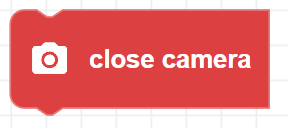
In Blockly, you can avoid this error by always including the close camera block at the end of any program using the camera.
Python
In Python, whenever you use camera.start_camera() , always include camera.close() at the end of your program.