Why am I unable to enter into LINK state using my Mac device?
 Updated
by
Robolink Support
Updated
by
Robolink Support

To program your drones, you must first ensure your controller is in the LINK state and successfully paired.
Important for Mac Users: You are required to grant accessory access to enable the LINK state. Without this permission, you will only be able to manually pilot the controller and will not be able to program your drones.
To avoid manually approving your CoDrone each time you plug them, please follow the following steps:
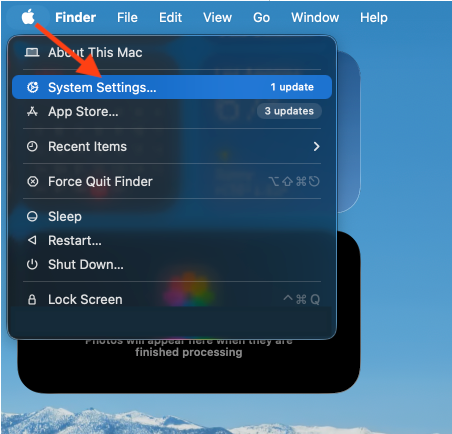
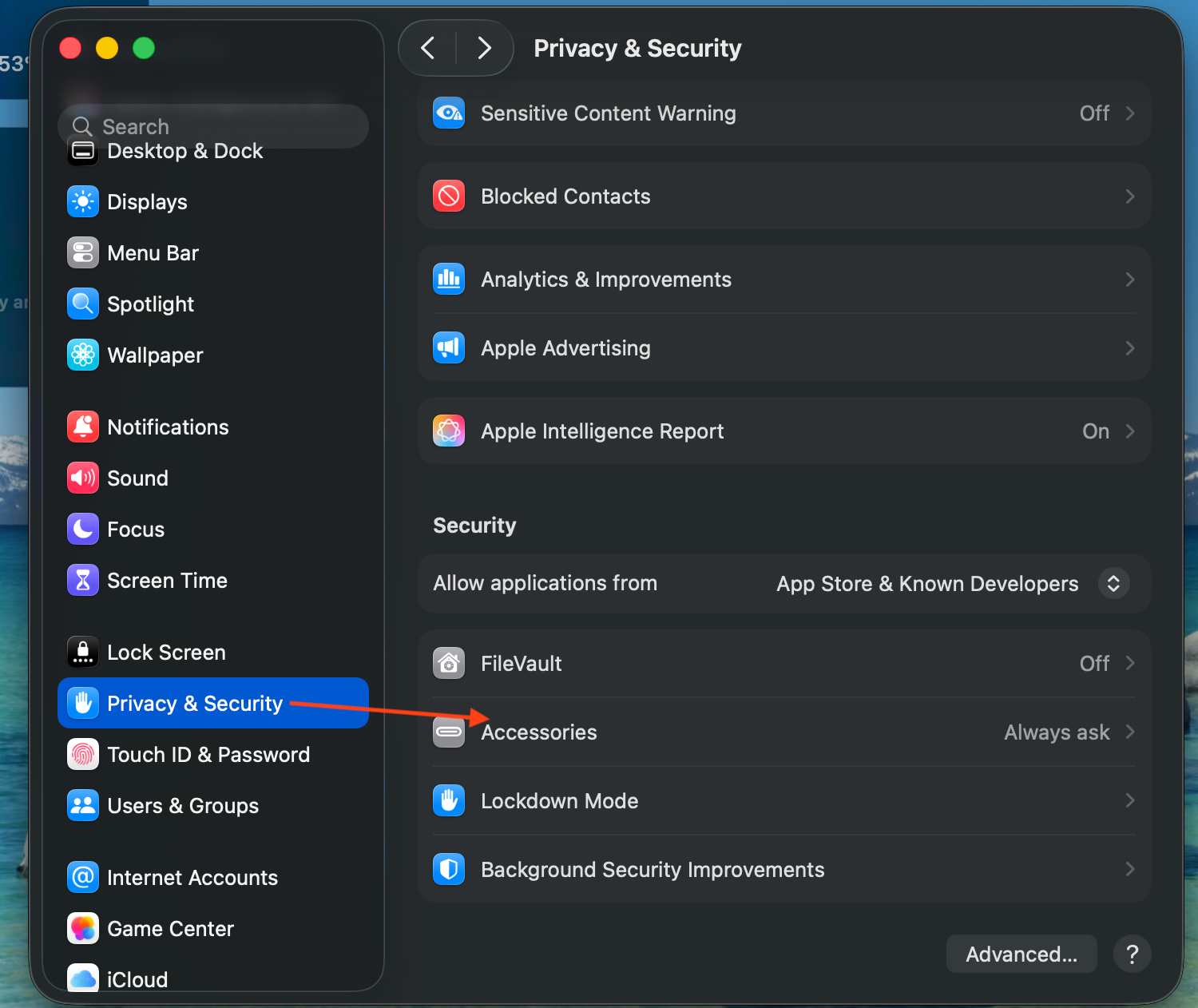
- Go to System Settings > Privacy & Security.
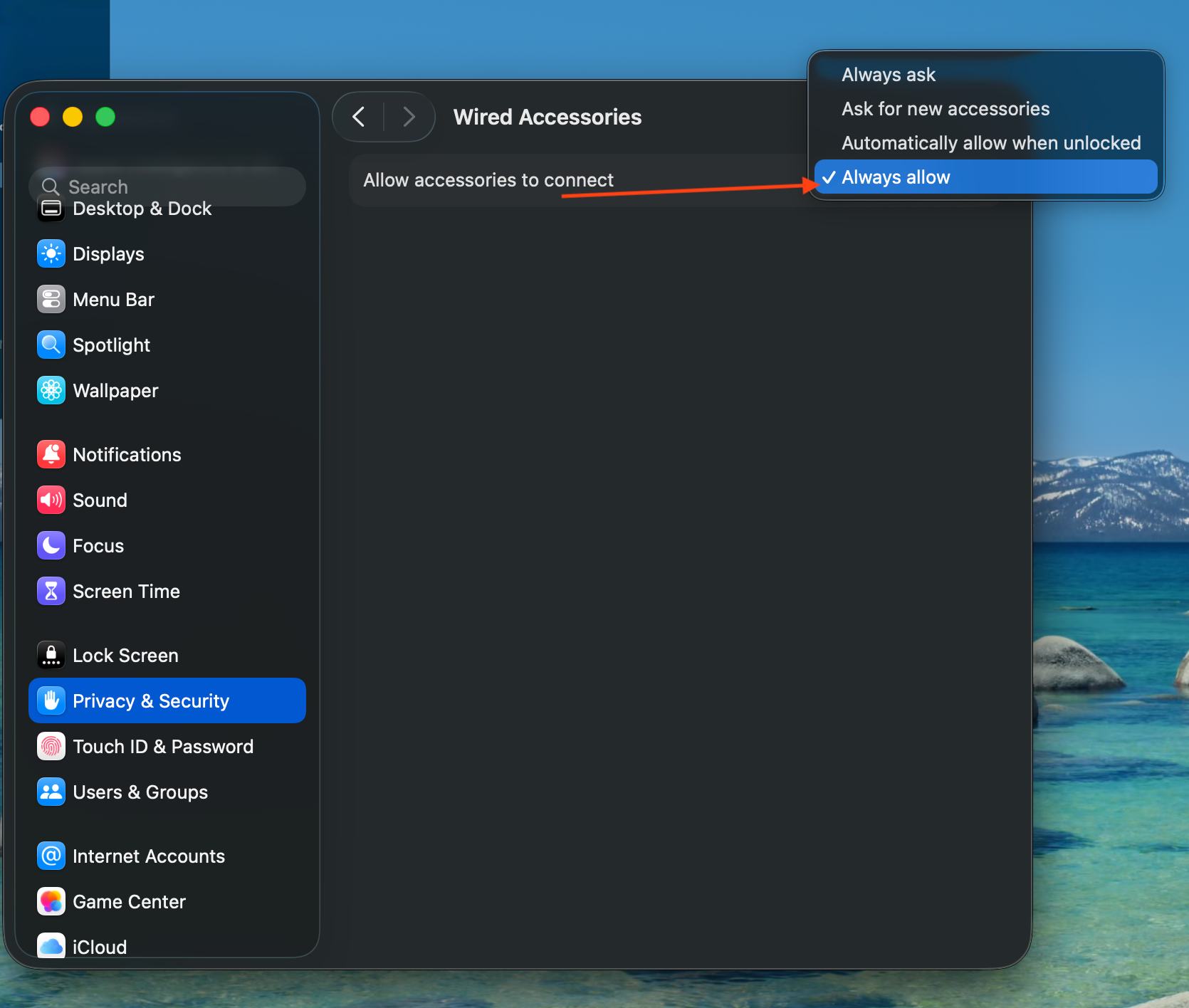
- Scroll down to "Allow accessories to connect"
- Select: "Always Allow" or "Automatically When Unlocked"
Feel free to reach out to support@robolink.com if you have any questions.
