Why won't my Zumi turn on?
 Updated
by
Leila Firestone
Updated
by
Leila Firestone
If you turn the switch on, but nothing happens, first check that your battery is connected. If the battery is connected and you see a momentary flash of the green LED, Zumi may be out of charge and in need of a jumpstart!
- Move the Zumi switch into the "off" position.
- Connect the Micro USB to Zumi and the other end of the cable to your computer or other USB output.
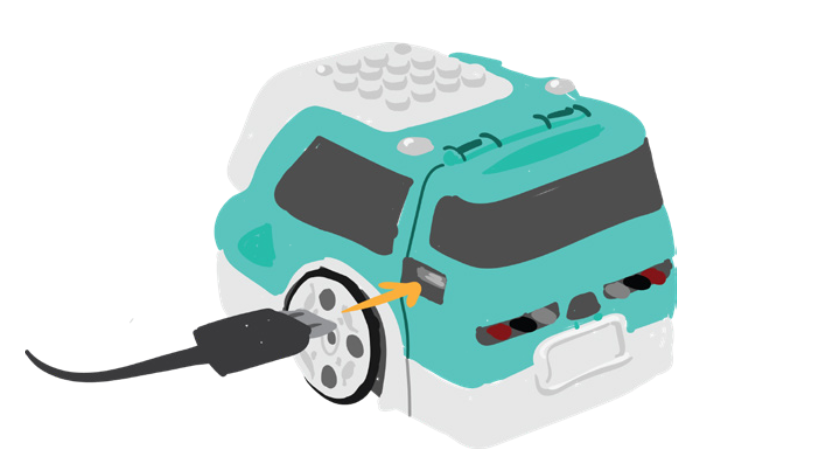
- Allow Zumi to charge for a few minutes.
- Once she has enough charge, turn on the power switch to allow Zumi to boot up.
- Once you see the screen prompting to connect to Zumi's network, turn the switch back off to let Zumi continue charging. You can still access the dashboard and use Zumi while in charge mode. Don't forget to disconnect when you start driving!
If none of these troubleshooting steps work for you, please contact us at support@robolink.com with a video and image of your circuit board with the battery.