Why is my CoDrone EDU pulsing light blue?
 Updated
by
Robolink Support
Updated
by
Robolink Support

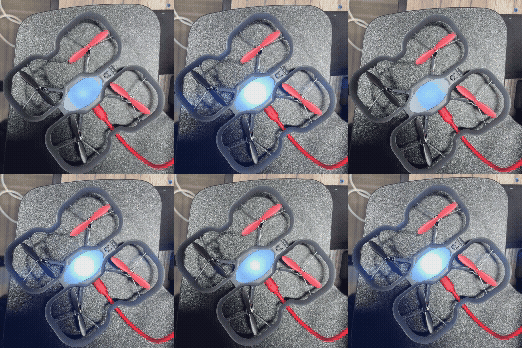
A pulsing light blue indication on the drone signifies an interrupted or improper firmware update, which has resulted in the CoDrone EDU entering bootloader mode and unable to finish updating.
Recommendations:
- Ensure the drone's battery is removed prior to initiating the update process.
- Allow the firmware updater to reach the "Done!" status before disconnecting the USB cable from the drone.
To resolve the situation, a re-update of the drone's firmware is required (ensure that the firmware updater instructions are being followed).
In rare cases, when the drone doesn’t fully complete an update, the drone will pulse green and will become stuck in an intermediate state. To resolve it, you’ll need to attempt the update again.
For further assistance, please contact support at support@robolink.com.
